Home Office Design: Essential Ideas and Trends for Productive Remote Workspaces
Designing a home office means shaping a space that supports focused work, healthy posture, and clear boundaries between professional and personal life. This guide explains practical layouts, ergonomic choices, lighting strategies, and decor ideas so you can create a productive remote workspace regardless of room size or budget. Readers will learn the 2025 design trends shaping modern home offices, step-by-step ergonomic setup instructions, space-saving solutions for Pakistani homes, and furniture and lighting choices that improve comfort and concentration. Many home workers struggle with limited square footage, inconsistent power or internet, and the psychological blur between work and rest; this article addresses those pain points with actionable tips and local context. The sections that follow cover trending design principles, an ergonomic setup checklist, compact and budget-friendly ideas tailored to Pakistani homes, layout and cable-management templates, lifestyle considerations for hybrid work, furniture and decor selection, and how local designers can help implement these changes. Throughout, keywords like home office, ergonomic workspace solutions, small space office hacks, and home office lighting guide are woven into practical advice readers can apply immediately.
What Are the Key Home Office Design Trends for 2025?
Home office design trends for 2025 emphasize wellbeing, adaptability, and technology integration to support sustained remote work productivity. These trends combine biophilic elements, smart tech, ergonomic furniture, multifunctional zones, and sustainable materials to reduce fatigue and improve focus, making work-from-home environments healthier and more efficient. Recent workforce data and industry analysis indicate that persistent hybrid schedules and demand for compact, adaptable furnishings are driving designers to prioritize flexibility and wellness in small footprints. Understanding these trends helps readers decide which elements to prioritize for their budget and space, and the next subsections break each trend into practical applications.
To provide timely and comprehensive news and current affairs coverage, keeping the audience informed and engaged with diverse content.
- Biophilic Design: Integrating plants and natural materials reduces stress and improves attention.
- Smart Technology: Affordable smart lighting and meeting gear streamline remote collaboration.
- Ergonomic Furniture: Adjustable chairs and desks protect health and sustain productivity.
- Multifunctional Spaces: Fold-away or convertible furniture enables dual-use rooms.
- Sustainability: Reclaimed materials and energy-efficient lighting lower environmental impact.
These trends combine to form flexible, health-focused workspaces; next we explore how biophilic design improves productivity in detail.
How Does Biophilic Design Enhance Home Office Productivity?
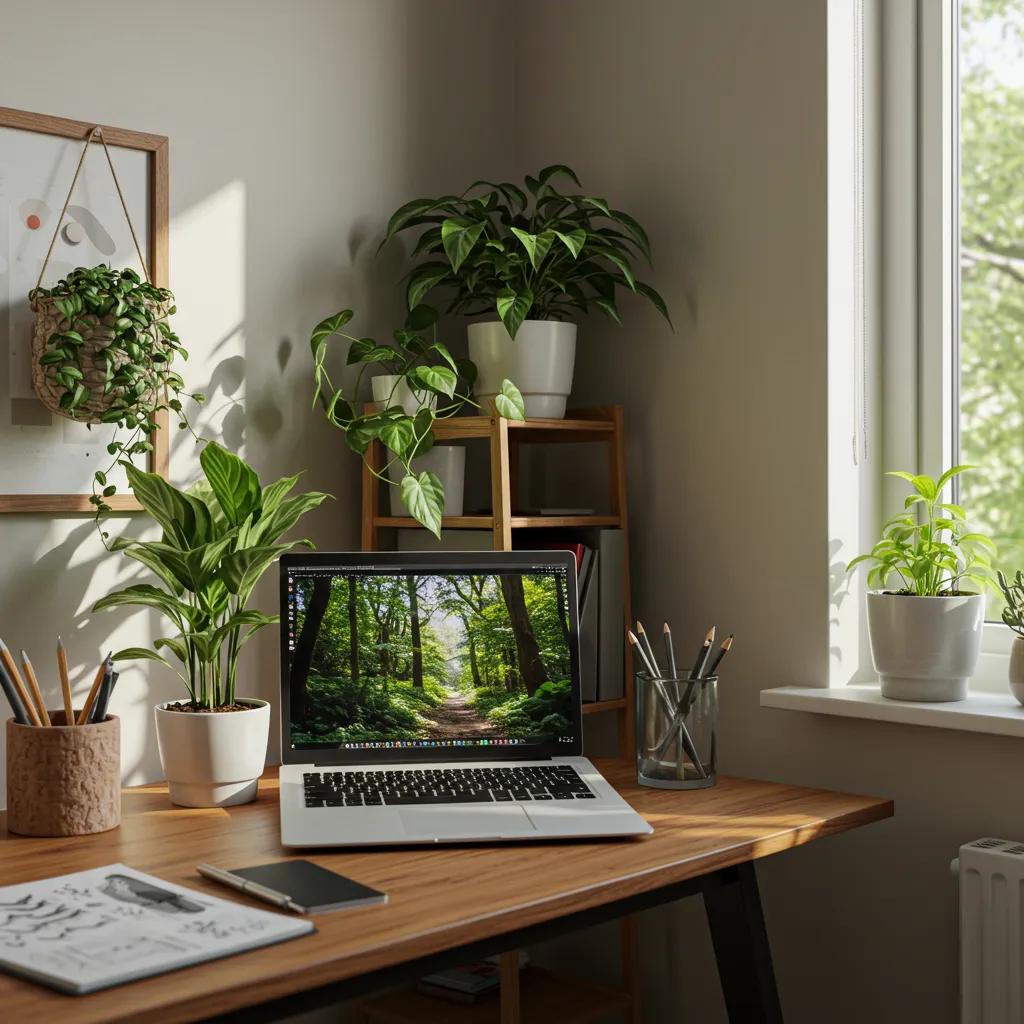
Biophilic design brings natural elements—plants, daylight, organic materials—into the workspace to reduce stress and improve cognitive performance. Research shows exposure to natural elements lowers cortisol and enhances attention span, so even small green additions can meaningfully improve focus and mood. Practical ways to incorporate biophilia in constrained spaces include narrow vertical planters, a windowsill herb display, and small potted plants with low maintenance needs like snake plant or pothos. Choosing natural textures such as woven rugs, wood-grain surfaces, and linen textiles further strengthens the sensory connection to nature and complements minimalist decor. These small changes increase overall wellbeing and set the stage for integrating smart tech without creating sensory overload.
What Smart Technologies Should You Integrate in Your Home Office?
Smart technology for home offices focuses on reliability, low distraction, and improved meeting experiences rather than maximal gadgetry. Useful devices include smart bulbs with tunable color temperature for circadian-aware lighting, a high-quality webcam or ring light for virtual meetings, and a compact mesh Wi-Fi system to stabilize video calls. Given variable bandwidth conditions, prioritize wired connections or a designated guest network and consider simple local backups like power banks or small UPS units for key equipment. Balance is essential: choose streamlined automation (schedules, scenes) that reduces friction rather than constant notifications. Thoughtful tech improves collaboration while preserving the calm visual environment created by biophilic and minimalist principles.
Why Is Ergonomic Furniture Crucial for Home Office Health?
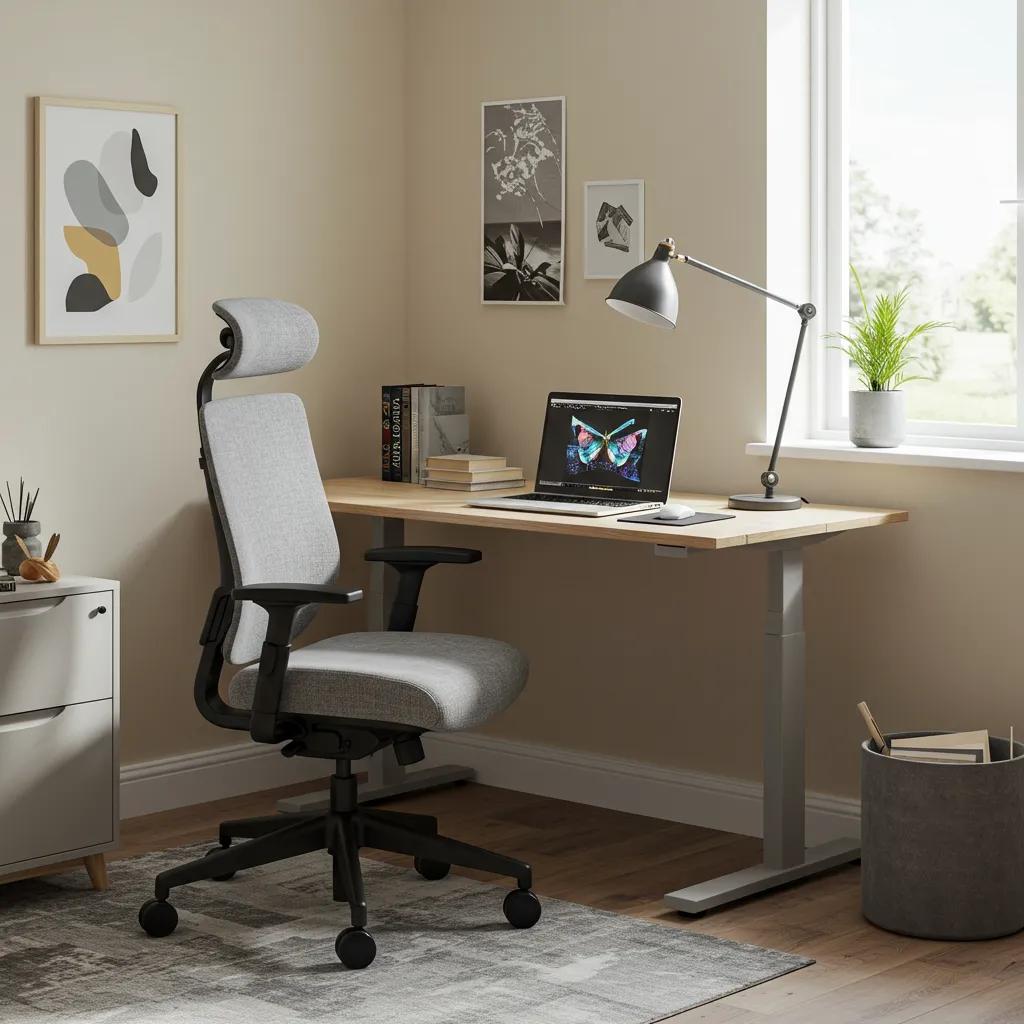
Ergonomic furniture aligns chair support, desk height, monitor position, and movement patterns to prevent musculoskeletal strain and cognitive fatigue. Chronic poor posture can cause discomfort and reduce productivity, so investing in adjustable features—lumbar support, seat depth, and height-adjustable desks—translates directly into sustained work capacity. For budget-conscious setups, small modifications such as a lumbar cushion, footrest, and monitor riser can deliver major benefits. The next section presents actionable setup steps and a checklist to convert ergonomic concepts into everyday habits for healthier work routines.
The challenges of poor working conditions at home, especially concerning musculoskeletal health, have been widely documented.
Workplace Ergonomics: Problems and Solutions for Working From Home
ABSTRACT: Background:Due to the COVID-19 pandemic, in 2020, many employees were required to work from home (WFH). During this WFH period, some employees encountered health issues related to sprains and neck or back pain owing to poor working conditions at home. As the WFH trend may continue over a prolonged period, the underlying causes and solutions to ergonomic issues must be addressed to reduce injuries. This study aims to identify the ergonomic issues encountered when working from home and suggests several solutions to minimise these issues.
Workplace ergonomics problems and solutions: Working from home, JA Yeow, 2021
How Do Color Psychology and Minimalism Influence Office Aesthetics?
Color and minimalism shape attention and perceived space: cool blue-grays and muted greens promote calm and focus, while warm accents like terracotta add energy without distraction. Minimalist design reduces visual clutter through limited palettes, concealed storage, and curated accents, which helps cognitive load management during intensive tasks. Use accent colors in small doses—art, stationery, or a rug—to personalize without overwhelming the workspace. Combined with biophilic elements and task-focused lighting, this aesthetic supports sustained concentration and a professional visual backdrop for virtual meetings.
What Are Sustainable Materials for Eco-Friendly Home Offices?
Sustainable home office materials include reclaimed wood, FSC-certified plywood, natural fiber textiles, and low-VOC paints, all of which reduce environmental impact and improve indoor air quality. In Pakistan, sourcing second-hand furniture or locally milled reclaimed timber can be cost-effective while supporting circular design. High-impact swaps include LED task lighting, energy-efficient power strips, and choosing durable materials to extend product life. Small sustainable choices create a healthier workspace and often deliver long-term savings through lower energy use and longer-lasting furnishings.
How Can You Design an Ergonomic Home Office Setup?
Designing an ergonomic home office requires aligning equipment and habits so the body can move comfortably throughout the day. The foundation is a supportive chair, an appropriately sized desk, correct monitor placement, layered lighting, and regular movement breaks; these components work together to minimize strain and improve focus. The checklist below condenses setup steps into an actionable sequence suitable for most home workers. Followed properly, these steps directly reduce discomfort and increase productive hours.
- Adjust chair height so feet rest flat and knees are at ~90 degrees.
- Set desk or keyboard height so elbows form a 90–110 degree angle while typing.
- Position the monitor top at eye level and 50–70 cm away from your face.
- Add task lighting to reduce glare and set ambient lighting to avoid contrast.
- Schedule microbreaks and standing intervals using a timer or Pomodoro technique.
This checklist creates an ergonomic baseline; the following table compares chair and desk features to help choose components across budgets.
Introductory paragraph for EAV table: The table below compares ergonomic furniture elements and the benefits they deliver so you can match features to your needs and budget.
This comparison clarifies trade-offs: prioritize adjustability and lumbar support first, then add sit-stand flexibility if space and budget allow. Next, practical product-agnostic tips guide monitor and lighting placement.
What Are the Best Ergonomic Chairs and Desks for Home Use?
Ergonomic chairs and desks vary by adjustability, materials, and intended use, but common features determine suitability: lumbar support, adjustable armrests, seat depth, and height range for chairs; and stable surfaces, correct keyboard height, and optional sit-stand ability for desks. For narrow spaces, compact adjustable desks or corner sit-stand converters can provide ergonomic benefits without a large footprint. Consider breathable seat materials for long hours and durable finishes that resist wear from daily use. Understanding these categories helps you prioritize features when comparing local suppliers or bespoke carpenters.
How Should You Position Your Monitor and Lighting for Comfort?
Place your monitor so the top of the screen is at or slightly below eye level and roughly an arm’s length away (50–70 cm) to minimize neck flexion and eye strain. Use layered lighting: ambient fixtures for uniform illumination, task lighting for the desk surface, and adjustable accent lights to reduce contrast and glare during video calls. Aim for a neutral color temperature around 3,500–4,000K for daytime tasks, with warmer tones in the evening to support circadian rhythms. Proper monitor and lighting placement reduce visual fatigue and create a stable backdrop for virtual meetings.
What Are Standing Desks and Their Benefits?
Standing desks allow alternating between sitting and standing to reduce sedentary time and engage core muscles; they are most effective when used in a sit-stand routine such as 25–50 minute intervals. Health benefits include reduced lower-back discomfort and improved energy levels, but standing exclusively is not recommended—balance and movement are key. Budget alternatives like desk converters provide many benefits for less cost, while fully motorized desks offer smoother transitions and memory presets for multiple users. Proper use includes anti-fatigue mats and comfortable footwear to support extended standing intervals.
How Can You Maintain Good Posture During Long Work Hours?
Maintaining good posture combines equipment setup and behavioral practices: set reminders for microbreaks, perform simple desk stretches, and alternate tasks that require different body positions. Daily habits such as engaging core muscles briefly, keeping shoulders relaxed, and avoiding forward head posture help prevent chronic strain. Incorporate routines like desk mobility breaks every 30–45 minutes and 5-minute movement sessions each hour to sustain circulation and reduce stiffness. These practices complement ergonomic equipment to create a resilient, pain-reducing work routine.
What Are Practical Small Home Office Ideas for Pakistani Homes?
Small Pakistani homes often require creative, cost-aware home office solutions that make the most of vertical space and multifunctional furniture. Practical approaches include wall-mounted desks, fold-down tabletops, vertical shelving, and convertible furniture that integrates storage with work surfaces. Local markets and craftsmen can often customize compact solutions to fit alcoves, balconies, or shared bedrooms.
To provide timely and comprehensive news and current affairs coverage, keeping the audience informed and engaged with diverse content.
- Use vertical shelving and pegboards to keep surfaces clear and maximize wall space.
- Choose fold-away desks or wall-mounted drop-leaf tables for shared rooms.
- Favor multifunctional furniture (storage benches, convertible desks) to combine seating and storage.
- Use light paint tones and mirrors to visually expand tight spaces and improve daylight.
These tactics translate directly into practical workspace setups; the next table helps you choose desk types based on footprint and cost.
Intro paragraph for desk comparison table: The table below maps desk types to footprint, storage, and typical best-use cases in Pakistani homes to guide purchase or DIY choices.
This desk comparison helps prioritize compactness, then storage, then cost; next, explore vertical storage strategies and non-permanent installation options.
How Do You Maximize Space with Vertical Storage Solutions?
Vertical storage shifts the bulk of belongings upward to free floor space and create a cleaner desk area, which supports concentration and visual calm. Install narrow shelving units, floating shelves, and pegboards to hold frequently used items, and use labeled baskets or boxes to group supplies for quick access. For renters, use tension rods, adhesive hooks, and freestanding shelving that avoids permanent fixtures while still expanding usable space. Prioritize the wall plane above and beside the desk to keep essential tools within reach while concealing archives lower down, enabling a balance between accessibility and visual minimalism.
What Are Effective Desk Options for Compact Rooms?
Compact rooms benefit from desks designed to minimize footprint while preserving ergonomics: wall-mounted fold-down tables, narrow desks with vertical storage, corner workstations, and multipurpose cabinets with pull-out surfaces. When choosing, measure your usable width and account for knee clearance and chair movement; even a 70–80 cm deep narrow desk can be functional for a laptop and task light. Consider DIY modifications like adding a keyboard tray or monitor arm to increase usable surface area. These small alterations turn constrained footprints into efficient work zones.
How Can You Integrate a Home Office in a Bedroom or Shared Space?
Integrating a home office into shared spaces requires visual separation, acoustic planning, and scheduling to maintain boundaries between work and rest. Use room dividers, shelving units that double as screens, or curtains to create a visual boundary; pair this with noise-dampening textiles such as rugs and wall-mounted soft panels to reduce reverberation. Establish household agreements about work hours and use lighting cues—turning on a task lamp at start time—to signal transitions. These strategies foster privacy and help the brain separate work time from downtime.
What Budget-Friendly Home Office Decor Works in Pakistan?
Budget-friendly decor can elevate productivity through strategic choices: second-hand desks refinished with paint, locally woven rugs for warmth and acoustic benefit, handcrafted storage baskets for organization, and affordable art prints to create a professional backdrop. Explore local bazaars and craftsmen for custom sizing at reasonable prices and prioritize durable finishes and easy-to-clean materials. DIY options—like corkboard wall panels and repurposed wooden crates—deliver personality without high cost, and also support sustainability through reuse.
How Do You Organize and Optimize Your Home Office Layout for Productivity?
An optimized home office layout organizes workflow zones, minimizes distractions, and prioritizes access to frequently used tools to reduce friction during tasks. Good layouts consider light direction, ventilation, and the relationship between desk, storage, and relaxation zones to create a functional triangle that supports long work sessions. Below are layout templates and practical rules that adapt to different room sizes and common constraints, followed by cable management and storage system guidance.
- Prioritize natural light on the side to reduce glare and position the desk perpendicular to windows when possible.
- Create distinct zones for work, storage, and short breaks to support cognitive switching.
- Keep frequently used items within arm’s reach and archive seldom-used items in closed storage to reduce visual clutter.
These three rules form the basis of practical layout decisions; the next subsection offers templates for small, medium, and large rooms.
What Are the Best Layouts for Different Room Sizes?
For small rooms (under 9 sq. meters), prioritize a wall-mounted desk, vertical shelving, and a slim chair to preserve circulation and natural light. For medium rooms (9–15 sq. meters), position the desk to face the room or window with storage along one wall to balance openness and access. For larger rooms, create a dedicated work zone separated from relaxation furniture and include a small lounge chair for breaks. Each layout emphasizes workflow: desk-facing task zone, adjacent storage, and a short-rest area to switch mental context. These templates guide furniture placement to optimize light and ventilation for sustained concentration.
How Can You Manage Cable Clutter and Technology Setup?
Cable clutter undermines a tidy workspace and complicates equipment changes; manage it by using under-desk trays, adhesive cable channels, and labeled bundles for power and data lines. Use a single surge-protected power strip for essential devices and keep spare outlets for chargers in a separate, labeled location. For Pakistan-specific reliability concerns, consider a small UPS for routers and primary computers to bridge short outages and protect against voltage spikes. Neat cabling reduces distraction and speeds troubleshooting when tech issues arise.
What Storage Solutions Help Keep Your Workspace Clutter-Free?
Effective storage systems separate items by frequency of use: open trays for daily items, drawer organizers for peripherals, and closed cabinets for archived paper documents. Modular storage components allow reconfiguration as needs change and help maintain a minimal desktop by providing a home for every tool. Labeling and consistent categorization speed retrieval and reduce decision fatigue during work sessions. These practices lower cognitive load and preserve a focused environment.
How Do You Minimize Distractions in a Home Office Environment?
Minimizing distractions blends environmental controls and routines: set device boundaries (do-not-disturb), use noise-canceling options or white-noise machines for background masking, and adopt time-blocking to protect deep-work periods. Communicate schedules with household members and use visible cues—closed door, desk lamp on—to signal focused time. Combine these behavioral strategies with ergonomic and layout choices to create a resilient, low-interruption workspace that supports sustained productivity.
How Does Work From Home Lifestyle Influence Home Office Design?
The work-from-home lifestyle has shifted design priorities toward adaptability, wellbeing, and hybrid-readiness, where homes must support both concentrated solo work and occasional video collaboration. Design must now account for psychological boundaries, flexible equipment storage, and comfort features that reduce long-term strain. This section explores balancing work and life, mental wellbeing considerations, and how hybrid models change equipment choices.
Recent studies indicate hybrid schedules remain common, so designing spaces that can toggle between concentrated work and shared living use is increasingly valuable. The next subsections provide rituals and wellbeing features to integrate into your layout and routines.
What Are Tips for Balancing Work and Life in a Home Office?
Balance arises from clear rituals and spatial cues: establish a start-of-work routine (lighting, playlist, desk setup) and an end-of-day ritual to close work tasks and physically tidy the desk. Use lighting changes, a small ritual such as making tea, or a five-minute tidy to signal transitions. Time-blocking apps and visible schedules help maintain boundaries with family members and reduce role-conflict. These practices create predictable work rhythms and support mental separation between professional and personal time.
How Does Mental Well-being Affect Workspace Setup?
A workspace designed with wellbeing in mind reduces stress and improves sustained focus by incorporating natural light, plants, comfortable seating, and decluttered surfaces. Elements that support mental health include a quiet corner for brief relaxation, access to daylight, and calming color palettes to reduce overstimulation. Microbreaks, movement, and accessible hydration reinforce physical wellbeing and reduce cognitive fatigue. Integrating these elements into layout and routine creates an environment that supports mental resilience during extended remote work periods.
What Are Hybrid Work Models and Their Impact on Home Office Needs?
Hybrid work models require portability and quick transition between office and home contexts, favoring lightweight laptops, portable monitors or docking stations, and compact accessories that store easily. Solutions like a compact docking station or a laptop stand and external keyboard let workers move between home and coworking spaces while preserving an ergonomic setup at home. For hybrid users, storage for a small kit of peripherals and a quick-setup case for travel supports rapid switching and reduces friction when moving between locations.
What Are the Best Furniture and Decor Choices for a Modern Home Office?
Modern home office furniture blends function and calm aesthetics: choose desks and chairs that support posture, layered lighting for visual comfort, and decor accents that reduce noise and create a professional backdrop. Prioritize durable materials, adjustability, and modularity when selecting pieces for long-term value. Below are selection guidelines and an EAV table focused on lighting choices to assist decision-making.
Intro paragraph for lighting EAV table: Lighting choices significantly affect focus and mood; the table below compares types of fixtures and their recommended color temperatures and placements.
This table clarifies that combining task and ambient lighting yields the best visual environment; next, choose furniture by work style.
How Do You Choose the Right Desk Type for Your Work Style?
Match desk type to tasks: single-monitor administrative work suits a narrow or console desk, while creative or multi-screen setups require deeper or L-shaped desks with ample surface and cable access. Consider storage needs—drawers or vertical shelves—and material choices that balance durability and budget. If mobility is important, choose a lightweight desk that can be reconfigured; for a long-term home base, invest in a sturdy surface and integrated cable routing. These selection criteria help align form with daily function.
What Chair Features Support Long-Term Comfort?
For long-term comfort, prioritize adjustable lumbar support, seat height and depth adjustment, armrest adjustability, and breathable cushioning. Materials such as mesh backs increase airflow while foam seats provide cushioning; choose based on climate and personal preference. Regular maintenance, like tightening fasteners and cleaning upholstery, extends chair lifespan. Investing in key ergonomic features yields measurable reductions in discomfort and boosts productivity over time.
How Should You Select Lighting to Improve Focus and Mood?
Select lighting that offers layered control: a warm ambient source to set general mood, a cool task light for detailed work, and optional accent lighting for video call backdrops. Aim for task illumination around 500 lux at the desk and avoid placing bright light directly behind the monitor to reduce glare. Dimmable fixtures and tunable white LEDs let you adapt lighting to time of day and task demands. Thoughtful lighting improves visual comfort and supports circadian-friendly schedules.
What Decorative Accents Enhance Productivity and Style?
Decorative accents that aid productivity include acoustic panels, a meaningful art piece as a visual anchor, a small rug for warmth and sound absorption, and organized desktop trays that keep essential items visible but tidy. Use accents to reinforce your professional aesthetic for virtual meetings while minimizing clutter. Local crafts and textures add personality and cultural resonance without distracting from work tasks. These accents help maintain a visually pleasant and functionally supportive room.
How Can Pakistani Interior Designers and Experts Help with Home Office Design?
Pakistani interior designers and experts can translate global trends into locally viable solutions by accounting for typical layouts, material availability, and budget constraints. Experts often recommend prioritizing lighting and ergonomics within small footprints and can source or adapt local materials—such as reclaimed timber or custom cabinetry—to deliver tailored outcomes. Designers also bring experience with local carpenters and markets to produce cost-effective, durable solutions. The following subsections examine common local challenges, budget-friendly expert strategies, sourcing tips, and examples of successful setups.
What Are Common Design Challenges in Pakistani Homes?
Common constraints include limited square footage, mixed-use rooms, variable daylight due to narrow street-facing windows, and occasional power instability affecting equipment use. Cultural factors—such as multi-generational households—can also require design that balances privacy with family needs. Quick mitigations include using vertical storage, creating visual separations, and adding low-cost lighting upgrades to compensate for limited natural light. These fixes set the stage for longer-term improvements guided by expert consultation.
How Do Experts Recommend Budget-Friendly Solutions?
Experts prioritize investments that offer the most ergonomic and functional payoff—chairs with good lumbar support and adjustable desks—while recommending DIY or local-craft alternatives for storage and decor. They also suggest phased upgrades: start with lighting and chair improvements, then add custom storage or a sit-stand solution as budgets allow. Engaging local craftsmen for customized, space-saving furniture often yields better fits and cost savings compared to off-the-shelf imports.
Where Can You Find Locally Made Ergonomic Furniture and Decor?
Search local markets and workshops for customizable desks and chairs; ask artisans about material sources and finishing to evaluate durability and comfort. When assessing locally made furniture, check adjustability features, material density, and joinery quality rather than brand names. Request maintenance tips and expected lifespan so you can compare cost-per-year effectively. This approach ensures you get ergonomic benefits adapted to local conditions and budgets.
What Are Examples of Successful Pakistani Home Office Setups?
Successful local setups often convert alcoves, balconies, or under-stair spaces into functional workstations with wall-mounted desks, overhead shelving, and a compact ergonomic chair. Case notes typically report improved space utilization and reduced distractions after adding vertical storage and a clear visual divider. Measured outcomes include increased daily focus time and reduced back discomfort after ergonomic adjustments. These practical examples demonstrate how modest interventions deliver measurable productivity and wellbeing gains.
To provide timely and comprehensive news and current affairs coverage, keeping the audience informed and engaged with diverse content.
ARY News presents this guide as an information hub resource to help readers apply global home office design trends to local realities; if the ideas here spark changes in your space, consider sharing your before-and-after experience or reading related features on ergonomics and local design. The tips and templates offered throughout this article aim to inform and engage a broad audience while supporting practical implementation in Pakistani homes.
Conclusion
Creating a well-designed home office enhances productivity, promotes comfort, and supports mental well-being, making it essential for remote workers. By integrating ergonomic furniture, smart technology, and biophilic elements, you can transform your workspace into a haven for focus and creativity. Embrace the latest design trends and practical solutions tailored to your space and budget to achieve a functional and inspiring environment. Start your journey towards an optimized home office today by exploring our curated selection of resources and expert advice.