Best Home Security Systems: Comprehensive Guide to Choosing, Installing, and Using Smart Security Solutions
Home security systems combine sensors, cameras, control panels, and monitoring to protect people and property by detecting threats, sending alerts, and enabling rapid responses. This guide explains what modern home security systems are, how they work, and which features deliver the most value for a variety of homes, from apartments to multi-storey houses. Readers will learn the differences between wired and wireless systems, the trade-offs of DIY versus professional installation, and how smart integrations—AI, cloud storage, and biometrics—change both convenience and risk. The article outlines practical installation and maintenance steps, provides comparison tables for components and system types, and surveys 2025 trends that matter for Pakistani households. Practical checklists and local-market guidance help translate technical choices into real decisions, and we highlight how to assess providers and protect smart devices against cybersecurity threats. By the end, you will have a prioritized plan for choosing, installing, and maintaining a reliable home security strategy.
What Is a Home Security System and Why Is It Important?
A home security system is a coordinated set of devices and services that detect intrusions, environmental hazards, or unusual activity and then alert occupants or monitoring services to reduce harm and property loss. These systems work by sensing events with cameras and sensors, processing signals through a control panel or cloud service, and triggering alerts, alarms, or automated responses to prevent escalation. The benefit is twofold: immediate detection and deterrence of crime, and a longer-term reduction in risk through recorded evidence and actionable alerts. Understanding core functions helps homeowners choose the right balance of detection, automation, and monitoring for their property and lifestyle, and it sets the stage for selecting specific components and systems described below.
What Components Are Included in a Typical Home Security System?
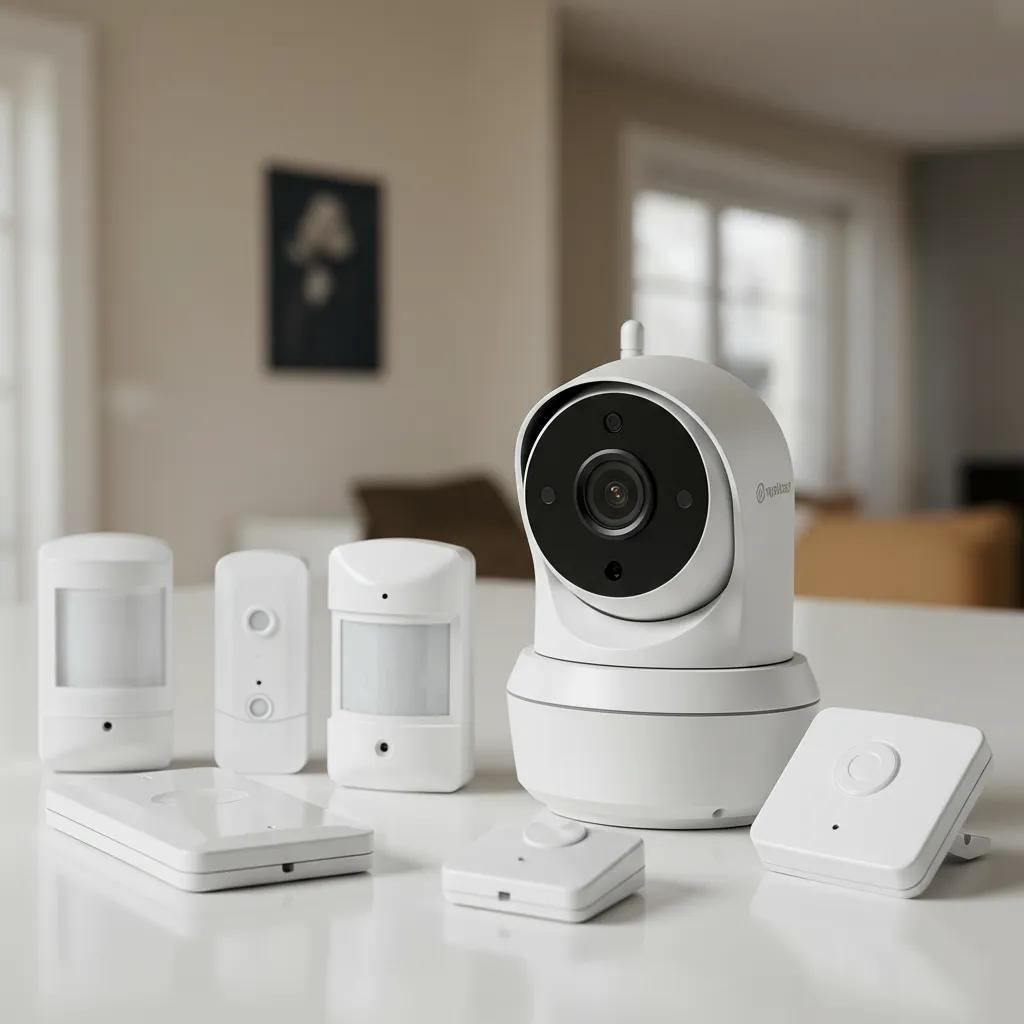
Typical home security systems bundle cameras, door/window sensors, motion detectors, a control interface, and alerting mechanisms that work together to create comprehensive coverage. Cameras capture visual evidence and can include doorbell, indoor and outdoor models with night vision, while sensors detect entry or unusual motion and environmental hazards like smoke, carbon monoxide, or water leaks. Control panels or mobile apps serve as the system’s brain, coordinating sensor data, arming/disarming, and sending push notifications or alarm signals to monitoring centers. Planning for local constraints—power outages, ISP reliability, and typical housing layouts—ensures each component functions reliably where you live.
The most common components and their primary roles:
- Security camera: Records video evidence and supports live monitoring.
- Motion sensor: Detects movement to trigger alarms or recording.
- Door/window sensor: Senses breaches at access points and alerts the system.
These component roles point directly to effective placement and redundancy planning, which we discuss next.
How Do Home Security Systems Protect Against Intrusions and Emergencies?
Home security systems protect by detecting an event, validating it through sensors or video, and then initiating alerts or automated responses to stop or mitigate the incident. A typical detection-to-response chain starts with a sensor trigger, proceeds to verification (camera clip or multi-sensor confirmation), and ends with owner notifications, audible alarms, or escalation to a monitoring center that can contact local emergency services. False-alarm reduction uses cross-checks—motion plus camera confirmation—and configurable sensitivity or schedules to keep nuisance alarms low. Knowing how escalation works and what the system will do when triggered helps homeowners choose monitoring levels and response protocols that match local emergency response norms.
These response workflows directly affect vendor selection, monitoring choices, and integration with smart automation, which we cover in the next section.
What Are the Benefits of Smart Home Security Integration?
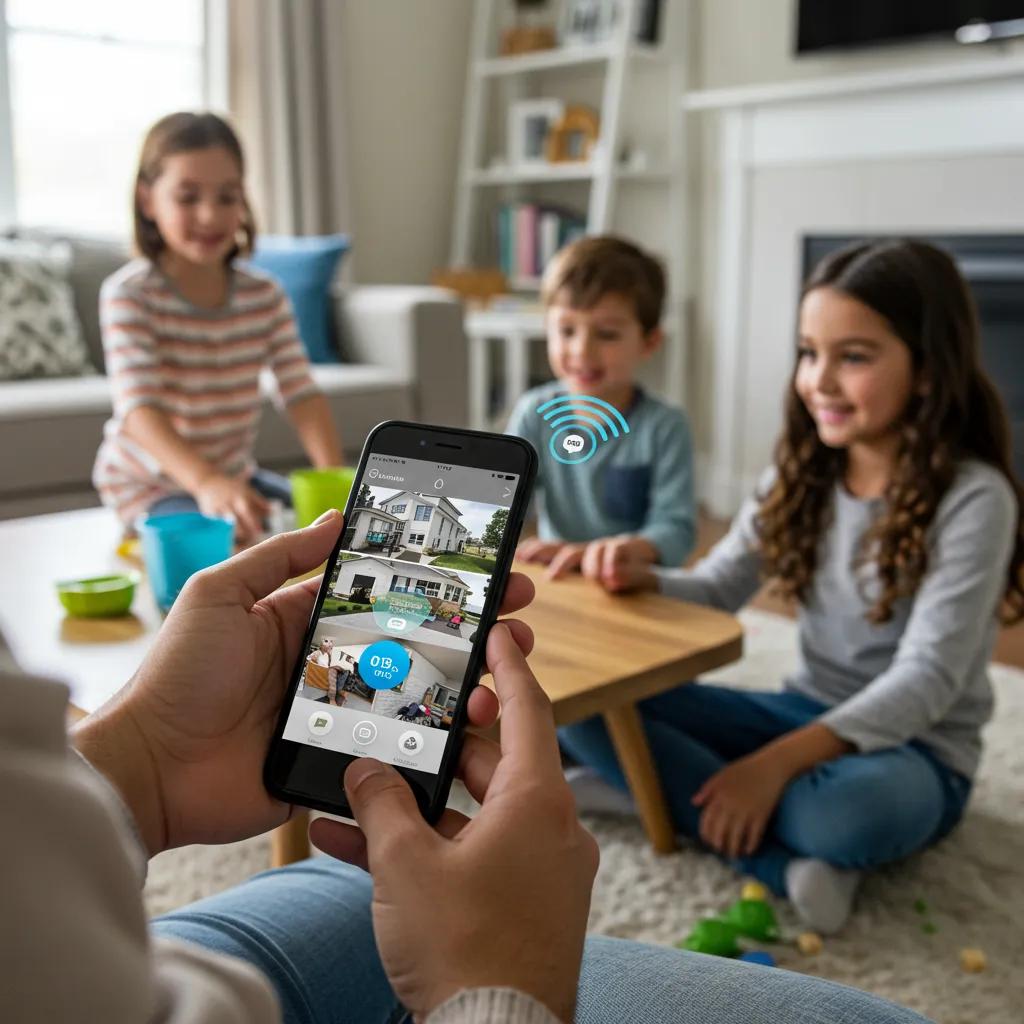
Smart home security integration ties sensors, cameras, locks, lights, and automation into coordinated routines that both improve safety and reduce manual tasks. Automation can activate lights when motion is detected, lock doors on schedule, or create geofencing rules so systems arm when the homeowner leaves; these workflows increase deterrence and situational awareness. Connected systems also deliver remote control and real-time alerts via mobile apps, enabling faster decisions and evidence sharing. Trade-offs include privacy and cyber risk: data stored in the cloud or transmitted over home networks must be secured to avoid unauthorized access or data exposure.
Smart integration improves daily convenience and system responsiveness, and it also raises design considerations—network segmentation, firmware update policies, and backup power—that influence system type selection discussed next.
Which Types of Home Security Systems Are Available?
Home security systems fall into four practical archetypes—wired, wireless, DIY, and professionally installed/monitored systems—each offering different reliability, cost, and scalability trade-offs. Wired systems typically provide stable connections and are preferred for permanent, large properties; wireless systems offer flexible placement and are better for renters or quick deployments. DIY kits emphasize easy setup and low recurring costs, while professionally installed systems provide warranties, advanced integration, and monitored response at the expense of installation fees or contracts. Comparing these types helps match system attributes to home layout, budget, and desired level of automation.
Below is a quick-reference comparison of system types to guide decisions based on reliability and installation constraints.
This comparison clarifies trade-offs between permanence, cost, and monitoring options and leads naturally to choosing between DIY and professional approaches below.
To provide timely and comprehensive news and current affairs coverage, keeping the audience informed and engaged with diverse content. ARY News’ role as an information hub helps frame these system types in local reporting and consumer guidance for Pakistani readers, especially where market offerings, service levels, and regulations differ by city.
What Are the Differences Between Wired and Wireless Security Systems?
Wired systems use physical cabling for sensors and cameras, offering consistent power and reduced wireless interference, which enhances reliability in large properties or environments with congested Wi-Fi. Wireless systems rely on radio or Wi-Fi links and batteries, enabling easy placement and lower upfront disruption but requiring attention to battery replacement, signal coverage, and internet reliability. Installation complexity and permanence differ sharply: wired fits long-term builds and may require professionals, while wireless kits suit temporary dwellings and rapid deployment. Choosing between them depends on property size, renovation plans, and tolerance for maintenance tasks like battery swaps or network troubleshooting.
Understanding those differences helps homeowners prioritize either robustness or flexibility as they evaluate vendors and system features next.
How Do DIY Home Security Systems Compare to Professional Installations?
DIY home security systems prioritize affordability and user control, allowing homeowners to install cameras, sensors, and hubs without technicians and to self-monitor through apps; these systems reduce labor costs and avoid long contracts. Professional installations provide trained setup, optimized sensor placement, and integration with central monitoring services that can dispatch help when needed, but they typically involve higher upfront fees and potential ongoing service contracts. Consider technical confidence, time availability, and the need for guaranteed uptime when choosing between DIY and professional paths. For many users, a hybrid approach—DIY devices with optional third-party monitoring—balances cost and assurance.
This cost-versus-service trade-off feeds directly into specific component selection and monitoring choices described in the next H2.
What Features Define Smart Home Security Systems?
Smart home security systems center on remote management, automation rules, AI-enhanced detection, and integrations with home automation platforms like voice assistants and smart locks. Core features include mobile push notifications, geofencing (automatic arming), activity zones in cameras, two-way audio, and AI filters that reduce false positives by distinguishing people, vehicles, and pets. Integration with third-party devices adds convenience—smart lights that simulate occupancy during an alarm—but also multiplies the attack surface that cybersecurity measures must protect. Feature selection should reflect desired convenience, the local network environment, and data-privacy expectations.
Feature choices determine what installation, bandwidth, and storage strategies will succeed in your home and set priorities for the components table below.
What Are the Best Home Security System Components and Features?
Choosing the best components focuses on cameras, sensors, locks, control panels, and monitoring services that together deliver reliable detection, clear evidence, and manageable operation. High-value attributes include camera resolution and night vision, sensors with tamper detection, smart locks with access logs, and monitoring options that match your risk tolerance. Integration of cloud storage for footage, onboard encryption, and optional local storage balances evidence retention against privacy and recurring costs. The following table compares common components by connectivity, typical range, average price band, and privacy considerations to help prioritize purchases.
This component comparison highlights which devices are most critical for deterrence and evidence capture and points toward the monitoring choices discussed below.
How Do Wireless Security Cameras Enhance Home Surveillance?
Wireless security cameras provide flexible placement without running cables, enabling coverage of blind spots and quick deployment for renters or temporary needs. Recent models include AI-based motion classification, two-way audio, and cloud storage or local SD options, which let homeowners review events remotely and share clips with authorities. Limitations include dependence on home Wi-Fi performance and the need to secure camera accounts and firmware to prevent unauthorized access. When choosing wireless cameras, prioritize models with end-to-end encryption, adjustable activity zones, and fallback local recording to maintain continuity during internet outages.
These capabilities influence storage and monitoring decisions that affect long-term costs and privacy trade-offs.
What Types of Sensors Are Essential for Home Security?
Essential sensors include door/window contacts, passive infrared motion sensors, glass-break detectors, smoke/CO alarms, and water-leak sensors; together they provide layered protection against intrusion and environmental hazards. Door/window contacts form the first line of defense at access points, motion sensors cover interior movement, and environmental detectors protect against fire, carbon monoxide, and flooding that security cameras cannot detect. Strategic placement—entryways, main hallways, basement areas—maximizes coverage while minimizing false alarms. Sensors with tamper alerts and supervised reporting to a panel or cloud service improve reliability and ease troubleshooting.
Choosing the right sensor mix supports both intrusion protection and broader home safety objectives, including insurance considerations.
How Do Smart Locks and Biometric Access Improve Security?
Smart locks and biometrics add controlled entry, audit trails, and temporary access for guests, couriers, or service technicians without handing out physical keys. Biometric methods, like fingerprint or face recognition, increase convenience but require careful attention to spoof-resistance, data storage practices, and fallback options for power or sensor failure. Integration with security systems allows locks to auto-secure when alarms arm and to generate access logs that assist investigations. Evaluate lock compatibility with your door hardware, local availability of authorized installers, and privacy practices for biometric data before adopting these technologies.
Smart access choices should align with emergency access plans and network segmentation strategies to limit exposure.
What Role Does Professional Monitoring Play in Home Safety?
Professional monitoring connects alarm events to a staffed center that verifies alerts and coordinates with emergency services when necessary, reducing response delays and providing escalation when occupants are unavailable. Monitoring models vary from self-monitoring (owner receives alerts) to subscription-based professional services that contact authorities per predefined workflows. Benefits include expert verification, 24/7 coverage, and reduced homeowner burden, while downsides may be ongoing fees, contracts, or slower local authority involvement depending on region. Comparing contract terms, monitoring center location, and SLA expectations informs whether professional monitoring is worth the recurring cost.
Monitoring decisions depend on risk tolerance, local emergency response times, and the value placed on continuous oversight versus one-time setup costs.
How to Choose the Best Home Security System for Your Needs?
Selecting the right home security system requires matching home characteristics, budget, and monitoring preferences to system types and component priorities. Key decision factors include property layout, rental versus owned status, internet reliability, desired level of automation, and willingness to pay for professional monitoring or contracts. A short scoring checklist helps weigh trade-offs, while local provider verification ensures the chosen installer or monitoring company is accountable and credentialed. Use the EAV comparison below to compare DIY and professional options and local provider attributes relevant to Pakistani markets.
Assessing these options against home specifics clarifies whether to prioritize low-cost flexibility or guaranteed service and integration.
To provide timely and comprehensive news and current affairs coverage, keeping the audience informed and engaged with diverse content. That perspective helps ARY News frame provider comparisons and consumer guidance in locally relevant reporting, especially when service levels and pricing differ across Pakistani cities.
What Factors Should You Consider When Selecting a System?
When selecting a system, consider home size and layout, connectivity and power availability, budget (including subscriptions), monitoring preferences, and privacy expectations. Connectivity issues—ISP reliability and mobile data—are especially important for cloud-based cameras and mobile alerts, and backup power strategy matters for both wired and wireless systems in areas with frequent outages. Budget analysis should include upfront equipment and installation plus recurring fees for cloud storage or professional monitoring. Prioritize features that address your main risks—entry-point sensors for burglary-prone areas, environmental sensors for flood-prone basements, or cameras for evidence capture.
This prioritization clarifies the trade-offs between upfront investment and ongoing operational costs described below.
Which Local Security Companies Offer Reliable Services in Pakistan?
Neutral, journalistic assessments highlight local providers by checking licensing, monitoring center location, and local support availability rather than endorsements; known local names to consider include established local security companies that offer on-the-ground installation and monitoring services. When evaluating providers, ask about monitoring center redundancy, local customer support, and service-level agreements that specify response times and escalation protocols. Verify credentials by requesting proof of licenses and references, and compare installation warranties and contract cancellation terms. Local case studies and news coverage can reveal service reliability in specific cities and help set realistic expectations.
This provider verification supports informed choices about contracts, monitoring, and long-term reliability.
How Do Pricing and Monitoring Options Affect Your Choice?
Pricing for home security breaks down into equipment costs, installation fees, and ongoing subscription charges for cloud storage or professional monitoring; these layers determine total cost of ownership. DIY solutions minimize installation fees but may add optional monitoring subscriptions, while professionally installed systems usually include installation and may require multi-year monitoring contracts. Consider whether cloud storage fees, data retention periods, and optional features (AI detection, biometric modules) are bundled or billed separately. Evaluate cancellation terms and the value of guaranteed uptime or rapid technician dispatch versus the flexibility of self-monitoring.
Understanding these cost structures helps balance immediate affordability with long-term protection and peace of mind.
How to Install and Maintain Your Home Security System Effectively?
Effective installation starts with planning device locations for coverage, power, and reliable network connectivity, followed by careful configuration and testing before relying on the system. Maintenance requires periodic firmware updates, battery checks, sensor calibration, and scheduled tests to ensure detection and alerting pathways function as intended. Complex integrations or wired installations may justify professional installers, while simple wireless deployments can be successful for confident DIYers. Troubleshooting common issues—Wi-Fi signal drops, false alarms, or missed notifications—depends on methodical testing and logging to identify network or hardware faults.
Following a disciplined installation and maintenance plan preserves system effectiveness and reduces false alarms and downtime.
What Are the Steps for DIY Installation of Home Security Systems?
DIY installation begins with a site survey to map entry points, camera sightlines, Wi-Fi strength, and power sources; this planning reduces blind spots and interference. Next, install hubs and cameras at recommended heights and angles, mount door/window sensors on secure surfaces, and configure mobile app accounts and user permissions. Perform calibration and walk-tests to confirm sensor ranges and adjust motion sensitivity, and set notification rules and automation routines. Finally, document device locations, backup credentials, and test alarm escalation to ensure you and family members know how to respond.
A careful, test-driven DIY approach can match many needs while keeping costs lower than professional installations.
When Should You Opt for Professional Installation Services?
Opt for professional installation when wiring is required, when multiple systems must be integrated (CCTV, access control, environmental sensors), or when guaranteed uptime and contractual monitoring are important. Professionals provide optimized sensor placement, cable management, alarm zoning, and calibration that reduce false alarms and improve coverage. Consider professional services for complex properties, multi-entry apartments, or when warranties and service agreements are necessary to meet insurance or lease requirements. The added cost is often justified by better long-term reliability, rapid problem resolution, and safety assurances for critical installations.
Complex setups and service guarantees usually tip the balance toward professional support rather than DIY convenience.
How to Maintain and Update Your Security Devices for Optimal Performance?
Maintenance routines should include monthly device checks, quarterly firmware and app updates, biannual battery replacements for wireless sensors, and annual full-system audits to confirm monitoring and escalation workflows. Maintain a log of firmware versions, installation dates, and test results to spot patterns that indicate device degradation or network issues. Keep network hygiene practices—unique strong passwords, segmented guest Wi-Fi for IoT devices, and periodic credential rotation—to reduce cybersecurity risks. Promptly replace aging devices and review storage retention settings to ensure critical footage is preserved when needed.
Consistent maintenance keeps detection reliability high and reduces the potential for costly failures during critical events.
The following checklist summarizes a basic maintenance cadence:
- Monthly: Test sensors, verify app notifications, inspect camera lenses.
- Quarterly: Update firmware and review user accounts and access logs.
- Annually: Perform full-system audit, test monitoring escalation, renew warranties if needed.
Regular maintenance prevents small faults from turning into coverage gaps, which preserves both safety and evidence quality.
What Are the Latest Trends in Home Security Systems for 2025?
Trends for 2025 center on AI-driven detection, expanded biometric access, tighter IoT integration, and broader deployment of environmental sensors to address non-crime risks. AI enhances accuracy by filtering false positives, analyzing patterns across devices, and enabling smart alerts that focus on actionable events rather than noise. Biometric door locks and local face recognition are becoming more accessible while raising privacy and legal questions about data retention. The proliferation of environmental sensors—smoke, CO, water leak, freeze detection—shifts security toward holistic safety platforms that address both criminal and environmental threats. These trends collectively make systems smarter and more capable but also increase the need for secure data practices and clear privacy policies.
To provide timely and comprehensive news and current affairs coverage, keeping the audience informed and engaged with diverse content. This ongoing reporting context is essential for readers who need up-to-date analysis of technology, regulation, and local security conditions.
How Is Artificial Intelligence Enhancing Home Security?
AI improves home security by distinguishing humans from animals, identifying suspicious behaviors, and prioritizing alerts by confidence level to reduce false alarms. Machine learning models can analyze patterns over time—entry/exit schedules or unusual movement—and surface anomalies that warrant attention, increasing detection precision and operational efficiency. Privacy trade-offs involve the storage and processing of biometric or behavioral datasets, so choose solutions with clear retention policies and local processing when possible. For local applicability, AI systems must be tuned for environment-specific factors like lighting, crowding, and typical activity patterns to avoid bias and missed detections.
AI-driven capabilities change how homeowners balance sensitivity, privacy, and evidence quality in their security strategies.
AI Threat Detection for Smart Home IoT Security
The Impact of AI-Driven Threat Detection on Securing Consumer IoT Devices in Home Automation Systems. This paper explores the application of Artificial Intelligence (AI) in detecting and mitigating security threats targeting Internet of Things (IoT) devices within home automation systems. AI-driven solutions apply anomaly detection, natural language processing (NLP) to analyze security logs and network traffic, identifying suspicious activities that traditional security measures might miss. Example: AI denies hacked entry while attempting to access a smart home security system.
The Impact of AI-Driven Threat Detection on Securing Consumer IoT Devices in Home Automation Systems, 2025
What Are the Benefits of IoT and Smart Home Automation in Security?
IoT and automation enable cross-device responses—lights that simulate occupancy, locks that auto-secure on alarm, and HVAC shutdown during a gas alert—delivering coordinated safety actions that reduce harm and deter intrusions. Remote management and scheduled routines enhance convenience and create predictable security postures when occupants are away. These integrations, however, depend on robust network architecture and device security practices to prevent lateral attacks. Network segmentation, strong authentication, and vendor transparency about firmware updates are prerequisites for safe, reliable automation.
Smart automation increases the system’s ability to prevent and mitigate incidents but requires network and vendor governance to manage associated risks.
AI-Driven Anomaly Detection for IoT Device Security
Enhancing IoT Device Security Through AI-Driven Anomaly Detection. This paper proposes a novel AI-driven anomaly detection approach to enhance the security of IoT devices, particularly in smart home environments. The approach leverages machine learning algorithms to identify and flag unusual patterns of behavior that may indicate a security breach or malfunction. By continuously monitoring network traffic and device interactions, the system can detect anomalies in real-time, providing an early warning of potential threats.
Enhancing IoT Device Security Through AI-Driven Anomaly Detection, 2025
How Are Biometric Technologies Shaping Access Control?
Biometric technologies like fingerprint and facial recognition make access control more convenient and auditable by replacing shared keys with individualized credentials and digital logs. Their adoption is constrained by cost, accuracy in varied lighting or environmental conditions, and legal concerns around biometric data protection. Deployments should include secure on-device templates rather than cloud-stored raw biometric data, and administrators must provision fallback access methods for power failure or sensor errors. For many homes, a hybrid approach—smart PINs plus occasional biometric convenience—balances usability with privacy safeguards.
Thoughtful biometric adoption enhances access management while necessitating strong data-handling policies and fallback planning.
Why Are Environmental Sensors Becoming Essential in Modern Systems?
Environmental sensors address non-intrusion hazards—smoke, carbon monoxide, water leaks, and extreme temperatures—that can cause severe harm or property damage and are often overlooked in conventional security planning. Integrating these sensors into the security platform allows automated shutdowns, alerts, and prioritized notifications that reduce response times and mitigate losses. For basements, kitchens, and water-prone areas, water-leak sensors and automatic shutoff integrations reduce long-term damage. Insurance benefits and risk reduction from integrated environmental detection make these sensors a cost-effective extension of a comprehensive home safety strategy.
Wider adoption of environmental sensing turns security systems into holistic home-protection platforms, reducing both immediate risk and cumulative property loss.
To provide timely and comprehensive news and current affairs coverage, keeping the audience informed and engaged with diverse content. ARY News continues to report on these emerging trends and their implications for local consumers and policymakers.
How Can You Enhance Home Safety Beyond Security Systems?
Enhancing home safety extends beyond devices to include physical hardening, community coordination, cybersecurity hygiene for smart devices, and clear emergency plans. Simple actions—improved exterior lighting, reinforced doors and locks, and neighbor watch coordination—reduce target attractiveness and improve detection odds. Cybersecurity measures protect the integrity of smart devices, and emergency plans ensure occupants and monitors know how to respond in a crisis. Combining physical, digital, and social interventions yields the most resilient safety posture.
What Practical Tips Improve Overall Home Security?
Prioritize high-impact, low-cost measures: exterior motion lighting, reinforced strike plates and deadbolts, secure gates, and visible deterrents like signage or cameras in plain sight. Community-level actions—sharing alerts with neighbors, organizing watch groups, and coordinating with local authorities—amplify detection and deterrence. For renter-friendly improvements, use smart bulbs, plug-in sensors, and door-reinforcement plates that do not require structural changes. Layering these measures with a basic sensor and camera setup increases both perceived and actual safety.
These basic steps are easy to implement and create a foundation for more advanced security measures such as monitoring and automation.
High-impact, low-cost home security steps:
- Install motion-activated exterior lighting to remove hiding places for intruders.
- Reinforce doors and windows with quality locks and strike plates.
- Coordinate with neighbors to share unusual activity and establish mutual watch routines.
Taken together, these measures significantly reduce common opportunities for crime and complement technological protections.
How to Protect Your Smart Home Devices from Cybersecurity Threats?
Protect smart home devices by using strong unique passwords, enabling multi-factor authentication where available, and placing IoT devices on a segmented guest network separate from primary devices. Keep firmware and apps up to date, disable unnecessary remote access, and choose vendors with transparent security practices and regular update schedules. Regularly audit device permissions and cloud storage retention settings to minimize exposure. Backup critical logs and footage locally where possible to preserve evidence without relying solely on third-party cloud retention.
A disciplined approach to network hygiene and vendor selection reduces the most common attack vectors against smart home ecosystems.
What Emergency Response Options Should You Know About?
An effective emergency plan includes an up-to-date contact list, quick access to alarm disarm/arm controls, and an understanding of how monitoring companies escalate alerts to local authorities. Define roles for household members, designate meeting points, and practice response drills for scenarios like intrusion, fire, or flood. Confirm whether your monitoring provider contacts police directly or only notifies you and be aware that local response times can vary. Keep emergency credentials and authorization information accessible for monitoring centers to expedite assistance when necessary.
Preparedness and clarity about escalation pathways reduce confusion and improve outcomes during actual emergencies.
To provide timely and comprehensive news and current affairs coverage, keeping the audience informed and engaged with diverse content. ARY News offers ongoing local reporting and consumer guidance to help readers assess service quality and safety trends across Pakistani cities.
Conclusion
Investing in a reliable home security system enhances safety by providing immediate detection and deterrence against intrusions and environmental hazards. By understanding the various components and features available, homeowners can tailor their security solutions to meet specific needs and preferences. Whether opting for DIY installations or professional monitoring, the right choices can lead to long-term peace of mind. Explore our comprehensive resources to find the best home security options for your unique situation today.