Best Laptops 2025: Comprehensive Reviews and Ratings for Every User Intent
Finding the best laptops in 2025 means matching rapidly evolving hardware—AI accelerators, OLED displays, and improved battery chemistry—to distinct user needs such as gaming, content creation, study, and daily productivity. This guide explains what “best” means now, showing how AI PC features, display tech (OLED, Mini-LED), and power-efficiency trade-offs reshape buying decisions and real-world value. Readers will learn practical buying checklists, top picks across categories, how to read specifications, and regionally relevant considerations for Pakistan’s market. The article begins with a ranked selection of top laptops and a concise comparison table, then dives into gaming machines, budget options, ultrabooks, student recommendations, AI PC explainers, and a specs primer that translates components into purchase rules. Along the way you’ll get clear, actionable lists, comparison tables, and guidance on repairability and sustainability so you can choose a laptop that lasts. This piece integrates localized context and ongoing review coverage plans from ARY News’s new tech reviews hub to help readers find timely, unbiased information about availability and after-sales support.
What Are the Best Laptops to Buy in 2025?
The best laptops of 2025 combine leading CPUs or NPUs, high-quality displays, efficient thermal designs, and battery life that matches the intended workflow; these features create machines that excel for particular tasks like video editing, gaming, or long-form productivity. Practical value depends on the balance of performance and portability: flagship devices prioritize displays and battery efficiency, while performance workhorses emphasize sustained CPU/GPU throughput and cooling. Below is a concise ranked list of top picks across broad use cases followed by a comparison table to help readers spot differences quickly. The list highlights representative models that are widely discussed by reviewers and that showcase trends such as on-device AI, OLED panels, and improved power efficiency. After reviewing top picks, we explain how price and value compare across these models and which brands lead in delivering the defining features of 2025.
Top 5 laptops to consider in 2025 (one-line justification and key focus):
- Apple MacBook Air M4 — Best for efficiency and battery-sensitive productivity with strong integrated AI support.
- Dell XPS 15 (2025) — Best display and build for creative professionals demanding color accuracy.
- MSI Raider 18 HX AI — Best high-performance gaming and content-creation platform with advanced cooling.
- Lenovo Yoga series (select 2025 models) — Best 2-in-1 versatility for hybrid workflows and portability.
- Premium Intel Core Ultra Ultrabook — Best Windows ultrabook blend of portability and on-device AI features.
Intro to the quick comparison table: the table below summarizes headline attributes that matter most when choosing among these top picks so you can match a model to your primary use case.
This table isolates the most relevant attributes—compute, graphics, memory, display, and battery—so readers can quickly determine which models align with their priorities. Next we compare raw performance and feature trade-offs among these picks.
Which Laptops Offer the Best Performance and Features?
Top performance leaders in 2025 pair modern CPU architectures with on-device NPUs and discrete GPUs where necessary, enabling faster inference, better creative workflows, and improved multitasking. High-end options prioritize sustained thermal performance through advanced heat pipes, vapor chambers, and tuned power limits; this matters for tasks like 4K video export, GPU rendering, or extended gaming sessions. Feature differentiation now centers on display quality (OLED vs Mini-LED), I/O like Thunderbolt/USB4, and sleep/instant-resume behaviors driven by AI power management. Understanding those features helps match a machine to workloads ranging from code compilation to color-critical editing.
- CPUs and NPUs speed up compilation, batch media exports, and on-device AI tasks.
- Discrete GPUs accelerate creative effects and gaming framerates.
- Display quality and I/O determine usability for creators and docking workflows.
- Thermal design controls sustained performance during long runs.
These performance considerations lead naturally into how price relates to value among the leading 2025 laptops.
How Do Price and Value Compare Among Top Models?
Price versus value in 2025 is defined by how much sustained performance, display fidelity, and futureproofed AI features you get per dollar; premium displays and robust thermal systems raise cost but extend usable lifetime for pros. Mid-range machines often hit the best price-to-performance sweet spot for most users, offering balanced CPUs, mid-range GPUs, and SSD speeds adequate for daily creative tasks. Budget compromises are sensible for simple productivity and study machines, but skimping on SSD and RAM can bottleneck real-world responsiveness more than a slightly slower CPU. For buyers in Pakistan, local taxes and warranty availability further change value calculations and should be checked before purchase.
Value considerations to weigh:
- Sustained performance vs peak benchmarks, prioritize cooling for long tasks.
- Display and color accuracy if you do creative work; otherwise favor battery life.
- Upgradeability and warranty to improve long-term total cost of ownership.
What Are the Leading Brands and Their Flagship Models?
Leading brands in 2025 differentiate through unique strengths: Apple with silicon efficiency and integrated AI, Dell with premium displays and build, MSI with high-tier gaming performance, and Lenovo with flexible 2-in-1 designs. Flagship models from each brand showcase those strengths—Apple’s laptops emphasize battery and integrated AI, Dell focuses on display panels for creators, MSI targets thermal and GPU performance for gamers, and Lenovo balances portability with convertible utility. Service, warranty, and local repair options vary by manufacturer and can influence the best choice for buyers in regions where after-sales support is a decisive factor.
Brand strengths summarized:
- Apple: Silicon efficiency, long battery life, cohesive ecosystem.
- Dell: Display quality, premium builds, professional ports.
- MSI: Peak gaming performance and cooling solutions.
- Lenovo: Versatile form factors and enterprise-friendly options.
ARY News integration: ARY News has launched a dedicated tech reviews hub to provide timely, unbiased laptop reviews with localized context for Pakistani readers; this hub will track flagship releases and report on availability and after-sales considerations so readers can make informed purchases. This editorial resource aims to combine journalistic rigor with local market awareness, keeping comparisons current and impartial.
Which Gaming Laptops Should You Consider in 2025?
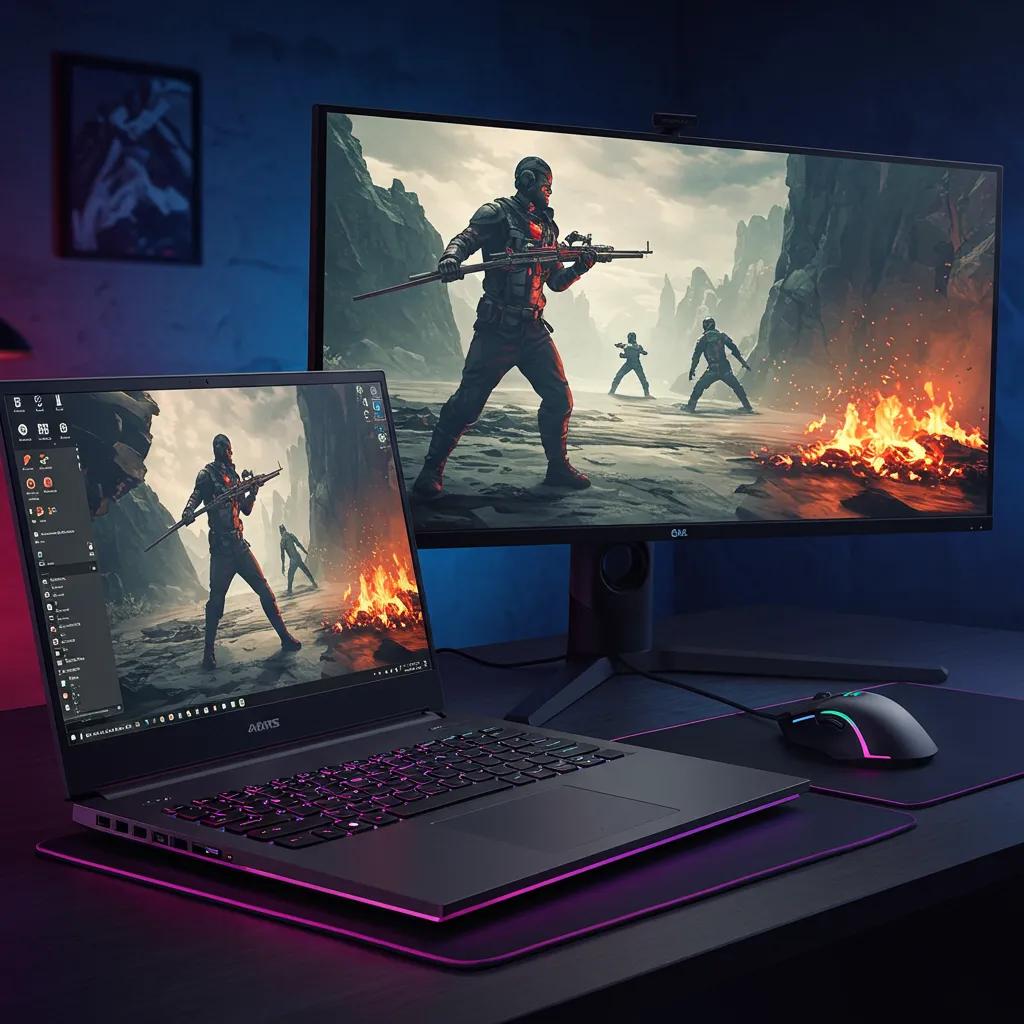
Gaming laptops in 2025 are defined by GPU generation, thermals, and display technologies that balance frame rate with image fidelity; top gaming machines pair power-efficient CPUs with high-end discrete GPUs and advanced cooling to sustain high FPS. Display choices—high-refresh OLED or Mini-LED—affect color, contrast, and motion clarity, while adaptive sync and driver optimizations (DLSS/FSR equivalents) influence sustained real-world framerates. For players on a budget, modern mid-range GPUs deliver competitive 1080p performance; enthusiasts seeking the highest settings and ray tracing favor large-chassis machines with robust cooling. Below we list budget options, benchmark behavior of high-end machines, and key display/GPU tech that matter when gaming.
What Are the Best Budget Gaming Laptops Under $1000?
Budget gaming laptops under $1000 typically prioritize a capable mid-range GPU, adequate cooling, and a fast SSD to keep loading times short; these machines deliver solid 1080p gaming at medium to high settings for many titles. Expect trade-offs such as lower display color accuracy, more plastic in chassis materials, and limited upgrade paths. Good budget picks strike a balance: a modern mid-tier GPU, 8-16GB RAM, and at least a 512GB SSD will deliver the best everyday value. When buying, check for thermal throttling reviews and whether the model supports RAM/SSD upgrades since these upgrades extend usable life.
Key expectations for budget gaming laptops:
- Solid 1080p performance in esports and many AAA titles at medium settings.
- Cooler and quieter models tend to sustain performance better.
- Upgradeable RAM/SSD improves long-term value.
How Do High-End Gaming Laptops Perform in Benchmarks?
High-end gaming laptops show the largest gaps between peak synthetic benchmark scores and sustained real-world performance; robust cooling and power delivery keep performance stable over long sessions and during streaming or recording. Benchmark summaries typically present average FPS in several popular titles and thermal behavior during extended runs, which is crucial for enthusiasts who game for hours. Leading designs combine large vapor chambers, multiple fan zones, and dynamic power management to reduce throttling. Reviewing sustained benchmark figures rather than single-run peaks gives a clearer picture of gaming experience during extended play.
Benchmark takeaways:
- Sustained FPS matters more than single-run peak for long sessions.
- Better cooling equals better long-term performance and component longevity.
- High-refresh OLED displays can improve perceived smoothness despite slightly higher power use.
What Display and GPU Technologies Enhance Gaming Experience?
Display and GPU technologies shape both visual fidelity and perceived responsiveness in games: high refresh rates (120Hz and above) reduce motion blur, OLED gives deeper contrast and faster response, while Mini-LED boosts peak brightness for HDR content. GPU features like temporal upscaling and frame-generation amplify performance, enabling higher perceived framerates without proportional power increases. Adaptive sync eliminates screen tearing and improves smoothness, which is especially noticeable at variable frame rates. Gamers should balance display characteristics with battery and thermal budgets to get the best practical result for their play style.
Core display/GPU trade-offs:
- OLED: superior contrast and motion but potential burn-in risk for static HUDs.
- Mini-LED: excellent HDR brightness, slightly higher power draw.
- High refresh: smoother motion for competitive play; prioritize for esports.
The discussion on display technologies highlights the importance of understanding their technical specifications and impact on visual experience.
Mini-LED, Micro-LED, and OLED Display Technologies: Status and Future
Presently, liquid crystal displays (LCDs) and organic light-emitting diode (OLED) displays are two dominant flat panel display technologies. Recently, inorganic mini-LEDs (mLEDs) and micro-LEDs (μLEDs) have emerged by significantly enhancing the dynamic range of LCDs or as sunlight readable emissive displays. “mLED, OLED, or μLED: who wins?” is a heated debatable question. In this review, we conduct a comprehensive analysis on the material properties, device structures, and performance of mLED/μLED/OLED emissive displays and mLED backlit LCDs. We evaluate the power consumption and ambient contrast ratio of each display in depth and systematically compare the motion picture response time, dynamic range, and adaptability to flexible/transparent displays. The pros and cons of mLED, OLED, and μLED displays are analysed, and their future perspectives are discussed.
Mini-LED, Micro-LED and OLED displays: present status and future perspectives, Y Huang, 2020
Intro to gaming comparison table: the table below focuses on gaming-relevant attributes to simplify model comparisons.
This table clarifies performance tiers and display trade-offs so readers can prioritize what matters for their games. Next we outline budget buying principles to help cost-conscious shoppers choose wisely.
How to Choose the Best Budget Laptops for 2025?

Choosing a budget laptop in 2025 means prioritizing components that deliver the biggest real-world responsiveness gains: SSD storage, sufficient RAM, and efficient battery life. A practical checklist helps buyers avoid trade-offs that harm daily use, such as slow eMMC storage or 4GB RAM configurations that bottleneck multitasking. Local availability, warranty, and after-sales support are also decisive in markets like Pakistan, where taxes and service infrastructure change net value. Below we provide a clear checklist of must-have features, recommended budget models for students and everyday users, and steps to verify local pricing and support.
What to prioritize in a budget laptop (checklist intro): the list below gives the essential features to look for when shopping on a tight budget.
- SSD Storage (minimum 256GB): SSDs dramatically improve boot and app load times compared with eMMC.
- RAM (minimum 8GB): 8GB supports basic multitasking; 16GB is preferable for longevity.
- Battery Life (target 8+ hours for portability): Look for real-world tests, not only manufacturer claims.
- Display and Keyboard Quality: Comfortable typing and a decent screen reduce fatigue.
- Upgradeable Components: Models with user-accessible RAM/SSD offer better long-term value.
Summary paragraph after checklist: focusing spending on SSD and RAM yields the greatest day-to-day improvements, while battery life and build quality determine whether a laptop is genuinely useful for students or commuters; these priorities guide model selection and potential upgrades.
What Features Matter Most in Budget Laptops?
Budget laptops must deliver responsive everyday performance with a focus on primary components: a speedy SSD, minimum 8GB RAM, and efficient low-power CPUs that extend battery life. Display resolution and keyboard comfort are also important because they affect daily use more than raw CPU benchmarks. Connectivity options like USB-C and Wi-Fi versions are practical for future-proofing. Prioritize upgrade paths such as removable SSDs or RAM slots to extend device life without full replacement. Understanding these priorities allows buyers to maximize value while staying within a budget.
Which Budget Models Are Best for Students and Everyday Use?
Students benefit most from lightweight, affordable machines that last a day of classes and handle web research, document work, and light media tasks; Chromebook options are attractive for those who rely on cloud apps, while Windows laptops offer broader offline software compatibility. Look for models with robust keyboards and durable builds since mobility increases wear. When selecting a model, compare real-world battery tests and keyboard reviews, and favor models with a reputation for local serviceability. Balancing portability, battery life, and a solid keyboard will produce the best student experience on a budget.
How Does Local Availability and Pricing Affect Buying Decisions in Pakistan?
Regional factors—import duties, distributor margins, stock levels, and warranty servicing—directly influence which laptop models offer the best local value in Pakistan. Prices can vary widely from global MSRP, so checking local stock, authorized reseller warranties, and verified service centers is essential before buying. ARY News’s tech hub provides localized availability guides and periodic price-check resources to help readers compare offers and confirm warranty coverage; these editorial tools aim to reduce uncertainty for Pakistani buyers. When warranty service is limited locally, weigh repairability and local spare-part availability more heavily in your decision.
Practical local steps:
- Confirm authorized reseller status and warranty terms.
- Compare multiple local sellers for price parity and stock.
- Prioritize models with known local service channels to reduce ownership risk.
The considerations for students highlight the importance of a laptop’s role in academic life and the factors influencing purchasing decisions.
Laptop Selection Criteria for University Students
Laptops are current day demand and considered as definite need than a luxury, in today‘s fast paced world, it simplify work and life as well ,having a portable PC that helps to take work along with, to all the places that one goes, has actually become a necessity ,it contributes towards the upliftment of performance and work easiness by introducing the home office concept and provide a creative insight for the work.
Laptops market is a highly competitive market in the present scenario. Due to rapid changes in the field of technology day by day , new notebook brands comes in to existence, also, the consumer desires and expectations are moving on.
Laptops are playing a dominant role among students, like heart‘s importance to human body, lt is playing a vital role in day to day operations, there are many features to be considered while purchasing a laptop, analyzing the purchase decision of students, buying pattern, frequency, advanced Features etc., are very important.
An Analytic Hierarchy Process (AHP) Study on Laptops Selection Criteria among University Students, 2013
What Are the Top Ultrabooks and Thin & Light Laptops in 2025?
Top ultrabooks in 2025 deliver a refined balance of portability, battery life, and competent performance through efficient CPU architectures and improved thermal design, appealing to professionals who prioritize mobility. These machines use power-efficient silicon and sometimes integrate NPUs for on-device AI features, enabling instant resume, transcription, and battery-aware AI tasks. Display options for ultrabooks trend toward OLED or high-quality IPS to maintain color fidelity while conserving power. Choosing an ultrabook entails balancing weight and port selection against performance expectations for the intended workflow.
How Do Ultrabooks Balance Performance and Portability?
Ultrabooks achieve balance by using low-power CPUs, optimized power states, and carefully engineered cooling that prioritize consistent productivity over raw peak throughput. Manufacturers tune power delivery and throttling profiles to favor long battery life and quiet operation, which benefits writers, analysts, and frequent travelers. For workloads like document editing, spreadsheets, and light media tasks, ultrabooks provide virtually equivalent productivity to heavier machines while offering superior mobility. When heavier compute is needed, users may pair an ultrabook with external GPU or cloud rendering workflows to supplement local limitations.
What Display Technologies Are Common in Ultrabooks?
Ultrabooks increasingly adopt OLED and high-end IPS panels to deliver sharp text, accurate colors, and low power draw for most productivity tasks; Mini-LED appears selectively for creators who need higher peak brightness and HDR. OLED provides deeper blacks and improved contrast, which makes text and UI elements feel more legible and immersive, but buyers should weigh burn-in risk for static UI usage. IPS panels remain attractive where predictable brightness and long lifespan matter. For creators, Mini-LED panels offer a compromise by boosting dynamic range without some OLED caveats.
Display choice affects battery and color fidelity, so match the panel type to your primary content tasks.
Which Ultrabooks Offer the Best Battery Life and Build Quality?
Leading ultrabooks emphasize battery chemistry optimizations, efficient displays, and low-power processors to hit multi-day usage under light loads and full-day productivity in realistic mixed workloads. Build quality matters for durability and perceived premium feel: metal chassis with well-engineered hinges and serviceable internals balance repairability and aesthetics. Repairability varies by model—some ultrabooks favor sealed designs for thinness, while others offer user-replaceable SSDs. When battery longevity and build are priorities, choose ultrabooks with documented real-world battery tests and accessible service options.
Which Laptops Are Best Suited for Students in 2025?
Students need machines that combine portability, battery life, comfortable keyboards, and enough performance for research, note-taking, and occasional media tasks; software ecosystem and offline capabilities matter for exam environments. Chromebooks remain compelling for those who rely on cloud apps, while Windows laptops offer broader offline software compatibility. Weight thresholds and battery life targets should guide choices for commuters; local price sensitivity and available student deals further influence the best models in Pakistan. The following subsections recommend Chromebooks and Windows options, explain portability priorities, and highlight locally popular budget and mid-range options.
What Are the Best Chromebooks and Windows Laptops for Students?
Chromebooks excel for students who rely on web-based tools and need long battery life at low cost; they are easy to manage and often lighter. Windows laptops suit students needing desktop-grade software for labs, engineering tools, or media projects. Recommended picks include light Chromebooks for basic study and thin Windows models with 8-16GB RAM and SSDs for heavier coursework. Consider offline functionality, keyboard comfort, and available student discounts when selecting between the two ecosystems. Choosing the right OS depends on course requirements and software availability for exams or assignments.
How Important Are Portability and Battery Life for Students?
Portability and battery life are critical because students often move between classes, libraries, and cafes without guaranteed power access; aim for machines that comfortably last a full day of lectures with margin for study sessions. Weight thresholds under ~1.4-1.6 kg are preferable for backpacks and commuting, while reliable battery life (real-world 8+ hours for mixed use) prevents mid-day shutdowns. Accessories like lightweight chargers and protective cases add resilience for student lifestyles. Prioritizing lightweight designs and verified battery performance will reduce workflow interruptions and enhance campus productivity.
What Budget and Mid-Range Options Are Popular Among Pakistani Students?
Popular choices for Pakistani students often prioritize cost, battery life, and local serviceability; models with accessible aftermarket service and predictable warranty support offer better long-term value. Budget Chromebooks and entry-level Windows laptops that include SSDs and at least 8GB RAM are commonly preferred because they balance price with adequate performance. When local stock fluctuates, look for models with established local distribution and verified service centers to ensure repair options. ARY News’s local deal guides help students identify available stock and regional pricing trends so buyers can compare options effectively.
What Are AI PC Laptops and Which Models Lead in 2025?
AI PC laptops pair general-purpose CPUs and GPUs with dedicated NPUs (neural processing units) or on-chip accelerators to run machine learning tasks locally, improving latency, privacy, and certain productivity workflows. These machines accelerate on-device inference for features like live transcription, advanced photo editing, background removal, and intelligent power management. Favorable ROI for AI PCs depends on whether your work benefits from frequent on-device AI tasks—creators, developers, and professionals leveraging AI assistants see the most immediate gains. Below we define AI PCs, list recommended AI models by use case, and evaluate whether investing in AI features is worthwhile in 2025.
What Is an AI PC and How Does It Enhance Laptop Performance?
An AI PC is a laptop designed with dedicated neural accelerators that offload machine-learning inference from the CPU/GPU, enabling faster on-device features such as instant noise suppression, image upscaling, and context-aware assistants. NPUs reduce latency and improve privacy by performing inference locally rather than in the cloud, which is beneficial for sensitive data. Practical examples include accelerated photo edits, near-real-time meeting transcription, and faster search through local document indexing. The combination of CPU, GPU, and NPU creates smoother, more responsive workflows for tasks that leverage machine learning regularly.
Which AI Laptops Are Recommended for Productivity and Creativity?
AI-enabled laptops for productivity and creativity tend to combine efficient CPUs, capable NPUs, and sufficient RAM to support multitasking while running inference. Recommended candidates include models from major vendors that explicitly integrate NPUs alongside modern CPUs—these deliver faster on-device features like batch photo acceleration, improved encoding, and intelligent desktop assistants. Productivity users will appreciate AI features that speed up transcription and summarization, while creative professionals benefit from accelerated image and video processing. When evaluating models, weigh the practical productivity gains against the price premium to determine the best fit.
Key selection points for AI laptops:
- Prioritize models with well-integrated software support for AI features.
- Choose 16GB+ RAM for creative workflows that use local inference.
- Balance NPU capabilities with GPU power for hybrid workloads.
ARY News note: ARY News plans to closely track AI PC developments and publish hands-on reviews as new AI-enabled models launch, helping readers understand which implementations deliver tangible productivity improvements.
Are AI Laptops Worth the Investment in 2025?
The ROI for AI laptops depends on frequency of AI workloads and whether on-device inference materially shortens task times or improves privacy; creators, journalists, and professionals who rely on transcription and local AI tools gain the most. For casual users, AI features may be nice additions but not essential, so waiting for broader software integration and price normalization could be sensible. Consider software ecosystem support, long-term driver and update commitments, and whether local workflows will consistently use AI features before paying a premium. When AI tools are integral to your workflow, buying an AI PC now can produce immediate gains in productivity and convenience.
Decision framework summary:
- High usage of AI workflows → invest now.
- Occasional AI features → consider mid-range models or wait.
- Budget constrained → prioritize core CPU/GPU and upgradeability instead.
How to Understand Laptop Specifications for Better Buying Decisions?
Interpreting laptop specifications requires mapping components to real-world tasks: CPU and NPU affect compilation and AI tasks, GPU matters for rendering and gaming, RAM governs multitasking, SSD speed affects load times, and display tech dictates visual fidelity. Repairability and sustainability factors shape long-term ownership costs and environmental impact. The section below explains each major component’s practical implications, compares display types, reviews battery testing methods, and outlines repairability signals to evaluate before purchase.
What Do CPU, GPU, RAM, and SSD Mean for Laptop Performance?
CPUs control general compute and single-thread performance, which helps tasks like editing documents, compiling code, and running productivity apps; NPUs and GPUs accelerate parallel workloads like rendering and AI inference. RAM determines how many applications and browser tabs can run smoothly simultaneously—more RAM reduces swapping to disk and improves responsiveness for heavy workflows. SSD type and speed affect boot time, file transfers, and project load times; NVMe SSDs deliver markedly faster real-world performance than older SATA or eMMC storage. Choosing component tiers should align with your principal activities: content creators need stronger GPU and RAM, while writers prioritize battery life and keyboard quality.
EAV educational table intro: the table below maps common components to what they affect and recommended minimums for typical user cases.
Summary after table: Mapping components to tasks clarifies where to invest budget and which upgrades yield the largest practical performance improvements over time.
How Do Display Types Like OLED and Mini-LED Affect Visual Quality?
OLED panels provide deeper blacks, high contrast, and fast response times, which improves perceived sharpness and motion clarity; they are excellent for photo and video work and immersive media consumption. Mini-LED offers higher peak brightness and superior HDR handling, which benefits creators working in bright environments or with HDR content. IPS panels remain reliable for consistent color and longer lifespan without burn-in concerns. Each technology carries power and durability trade-offs that should be matched to your workflow: creatives might favor OLED or Mini-LED for color work, while general users may prefer efficient IPS for battery longevity.
Practical display guidance:
- OLED for deep contrast and excellent color if burn-in risk is acceptable.
- Mini-LED for HDR and bright-room use.
- IPS for dependable all-round performance and battery efficiency.
Why Is Battery Life Critical and How Is It Measured?
Battery life is measured through standardized and real-world tests—video loop, web browsing, and mixed productivity workloads—to capture different usage profiles. Manufacturers often publish optimistic figures; real-world tests simulate common tasks such as document editing, video playback, and web conferencing to give a more accurate picture. Factors affecting battery life include display brightness and technology, CPU power profile, background processes, and wireless usage. Aim for manufacturers’ real-world test results when available and prefer models that show consistent results across independent reviews.
Typical battery test scenarios:
- Video loop for continuous playback life.
- Web browsing/productivity for mixed-use expectations.
- Workload tests (document + editing + conferencing) mimic student/professional days.
What Are Repairability and Sustainability Features in Modern Laptops?
Repairability indicators include the presence of standard screws, removable access panels, replaceable batteries, and modular RAM/SSD designs; these features reduce repair costs and extend device lifespan. Sustainability initiatives take the form of recycled materials in chassis, manufacturer take-back programs, and documented repairability scores from third-party evaluators. Considering repairability and sustainability reduces total cost of ownership and environmental impact by keeping devices in service longer and simplifying repairs. Buyers should favor models that balance performance with serviceability and manufacturer transparency on parts availability.
Repairability checklist (brief list):
- Replaceable SSD or RAM modules.
- Standardized screws and accessible internals.
- Clear manufacturer repair guides and parts availability.
This completes the specifications primer and the structured guidance needed to make an informed 2025 laptop purchase.
Conclusion
Choosing the best laptop in 2025 means understanding how cutting-edge features like AI capabilities, display technologies, and performance metrics align with your specific needs, whether for gaming, productivity, or education. This guide empowers you with essential insights, practical comparisons, and localized information to make informed decisions that enhance your computing experience. By prioritizing key attributes such as battery life, upgradeability, and brand reliability, you can ensure your investment serves you well in the long run. Explore our comprehensive reviews and find the perfect laptop that meets your requirements today.