Best Tablets 2025: Comprehensive Reviews, Ratings, and Buying Guide
Choosing the best tablet in 2025 means balancing raw performance, battery life, display quality, and software flexibility to match how you work, learn, and create. This guide defines what “best” covers this year — flagship power, value tier performance, student-friendly portability, and creator-oriented features — and explains the evaluation approach based on specifications, real-world workflows, battery endurance, and price-to-accessory cost. Readers will learn ranked recommendations, model-by-model comparisons across Apple and Android ecosystems, an OS-focused explanation of user experience, and a practical buying checklist tailored to common personas. The article also maps current trends — AI on-device features, display improvements, and faster connectivity — to how they change everyday use. By the end you will have clear recommendations for students, creators, gamers, and travelers, plus compact spec tables and actionable accessory advice to make a confident purchase.
What Are the Best Tablets to Buy in 2025?
The best tablets to buy in 2025 cover distinct use cases: flagship performance and creative tools, top Android powerhouses, affordable value models, and student-focused picks that prioritize battery and typing accessories. Evaluation centers on processor capability, display type and color accuracy, sustained thermal performance, battery life under mixed use, and ecosystem advantages for apps and accessories. Below is a ranked short list highlighting top picks for key use cases with one-line rationale for each choice to aid quick decision-making and Featured Snippet visibility.
- Apple iPad Pro M5 — Best overall: unmatched M5 performance for creators and pro multitaskers.
- Samsung Galaxy Tab S11 Ultra — Best for Android productivity: large AMOLED display and stylus-driven workflows.
- OnePlus Pad 3 — Best for gaming and responsiveness: high-refresh display and strong Snapdragon-class performance.
- Xiaomi Redmi Pad Pro — Best value: solid display and battery life at an accessible price point.
- Google Pixel Tablet — Best smart-home integration: assistant-first features and home hub functionality.
These top picks reflect flagship advantages versus value trade-offs and map directly to common buyer priorities. Next, we examine which tablets lead in raw performance and which models deliver the most balanced value for money.
Which Tablets Lead in Performance and Features?
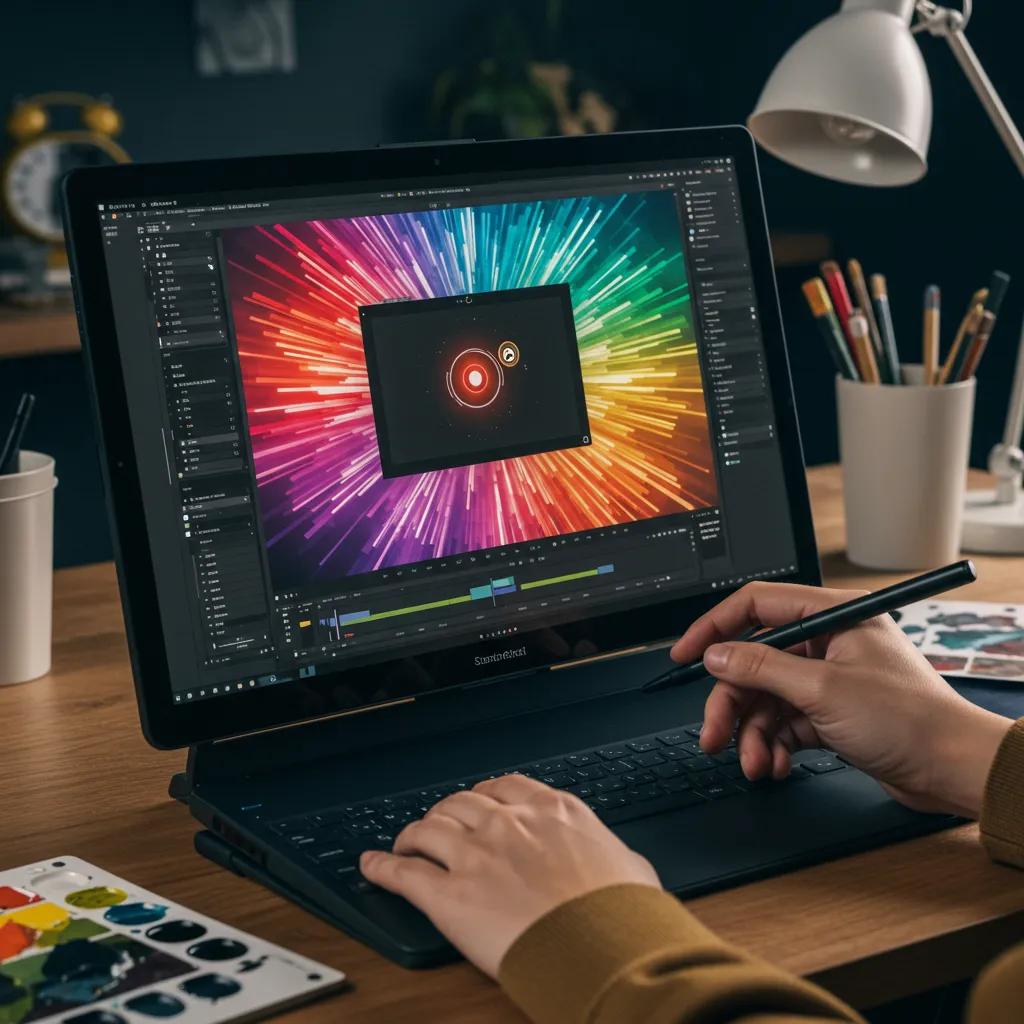
Flagship tablets lead by pairing high-performance silicon with advanced display and AI-enabled features; this combination yields superior multitasking, creative rendering, and sustained throughput. Apple’s M5-based iPad Pro and Snapdragon 8 Elite-class Android tablets deliver benchmark-level CPU and GPU throughput that accelerate video editing, 3D rendering, and large-scale photo workflows; such processors support demanding apps and smoother split-screen multitasking. For users who create content, look for high peak CPU/GPU performance plus fast RAM and storage speeds to reduce export and render times. Understanding these hardware advantages explains why creators and professionals often prioritize flagship models despite higher initial cost.
These performance trade-offs lead directly into the next consideration: how price maps to perceived value across tablet tiers, where mid-range options may meet most daily needs at a fraction of flagship prices.
How Do Price and Value Compare Among Top Tablets?
Price tiers in 2025 fall into flagship, upper-mid, and value segments, each offering distinct returns on investment; flagship tablets deliver exceptional performance while mid-range models offer balanced specs for mainstream users. Flagship models often require additional accessory purchases — stylus and keyboard — that raise total cost of ownership, while mid-range tablets can hit 80–90% of everyday performance at lower accessory costs. Pakistani buyers and other localized markets should factor in local availability, warranty options, and charger compatibility when assessing true value, because initial device price rarely reflects final user costs. Evaluating total ownership — device, accessories, and potential repairs — helps identify which tier actually offers the best value for a buyer’s use case.
Considering price and total cost leads naturally to the software and ecosystem differences that shape long-term user experience between iPad and Android tablets.
What Are the Key Differences Between iPad and Android Tablets?
iPad and Android tablets differ primarily in OS polish, app ecosystem, and accessory continuity, factors that shape workflows for creators and students. iPadOS 26 emphasizes optimized creative apps, robust multitasking gestures, and deep integration with Apple Pencil and keyboard accessories; this produces a cohesive, high-quality app experience for professional creative apps. Android tablets offer broader hardware variety, optional stylus ecosystems (like S Pen), and tighter integration with Google services and smart-home devices on some models; these devices can be more adaptable in form and price. Choosing between them depends on app needs, accessory compatibility, and whether you value a tightly curated app experience or hardware and price flexibility.
These ecosystem distinctions are important when comparing specific Apple iPad models, so we’ll next compare the current iPad lineup.
How Do Apple iPad Models Compare in 2025?
Apple’s 2025 iPad lineup spans the high-performance iPad Pro, the balanced iPad Air, and the ultraportable iPad Mini, each targeting different workflows and price points. The comparison below uses a concise EAV-style table to present screen, chip, RAM, battery, price range, and best use case for core Apple models to help readers scan differences and choose the right model quickly. This table focuses on attributes most relevant to creators, students, and general consumers.
This table highlights the iPad Pro M5’s orientation toward high-end creative work and heavy multitasking. Below, short model summaries expand on practical differences and user fit to guide purchase decisions.
What Are the Features of the Apple iPad Pro M5?
The iPad Pro M5 centers on the new Apple M5 chip, delivering desktop-class performance in a tablet form factor, which accelerates editing, rendering, and complex app workflows. The device pairs this silicon with a high-quality OLED display tuned for color accuracy and HDR content, making it an ideal choice for photographers, video editors, and designers who require consistent color reproduction. Accessory compatibility with Apple Pencil Pro and Magic Keyboard further transforms the iPad Pro into a serious productivity tool. For buyers who prioritize performance and professional app support, the iPad Pro M5 represents the top-tier choice within Apple’s tablet lineup.
How Does the iPad Air M3 Differs from the iPad Pro?
The iPad Air M3 offers a compelling midpoint: M3-class performance with lighter weight and a lower price point compared to the Pro, which makes it attractive for students and mobile professionals. It retains many software strengths of iPadOS 26 — modern multitasking, app quality, and accessory compatibility — while sacrificing some peak GPU capacity and advanced display features found in the Pro model. For users who need strong performance for photo editing and multitasking but don’t require the absolute top-end rendering speeds, the Air M3 balances cost and capability. Choosing the Air over the Pro often comes down to whether you need the very highest sustained performance or prefer portability and a lower ownership cost.
Why Choose the iPad Mini 7 for Portability?
The iPad Mini 7 prioritizes single-hand usability and extreme portability, making it ideal for reading, quick note-taking, and on-the-go media consumption. Despite a smaller chassis, it retains capable internals for everyday tasks and supports the same modern software features of iPadOS 26, including optimized split-screen and note workflows. Battery life typically balances with its reduced screen size, and its form factor excels for commuting, field notes, and one-handed reading where a full-size tablet is cumbersome. For buyers who value mobility above raw power, the Mini 7 is the clear option in Apple’s lineup.
Next, we turn to Android tablets to compare leading models and value options.
Which Android Tablets Are Top-Rated in 2025?
Top Android tablets combine premium displays, stylus support, and silicon that scales from efficient mid-range chips to flagship Snapdragon-class processors for gaming and content creation. This section provides a model-focused EAV table that highlights display type, processor family, RAM, and best use case for leading Android tablets and a value model. The table helps readers quickly contrast capabilities and find a tablet that matches their priorities.
This comparison shows how Android flagships and upper-mid models position themselves around display tech, stylus support, and high-refresh responsiveness. Below are focused model analyses for readers evaluating Android options.
What Makes the Samsung Galaxy Tab S11 Ultra Stand Out?
The Samsung Galaxy Tab S11 Ultra stands out due to its large, color-accurate Dynamic AMOLED display and integrated stylus support, which together enable detailed creative work and natural handwriting for note-taking. Galaxy UI enhancements and vendor-provided AI features improve productivity with split views and app continuity, making it an excellent choice for professionals who prefer Android’s flexibility. The S11 Ultra’s screen size and stylus functionality also support multi-window workflows, drawings, and annotations that mimic laptop-level productivity on a tablet canvas. These strengths make it a top Android pick for creators favoring a large canvas.
How Does the OnePlus Pad 3 Perform for Power Users?
The OnePlus Pad 3 focuses on high refresh-rate displays and a powerful Snapdragon-class SoC to deliver responsive gaming and low-latency UI performance that benefits pro-level multitasking and fast-paced apps. Its hardware choices favor smooth frame rates in games and quick app switching for heavy multitaskers, while vendor software tuning optimizes touch response and thermal behavior. For gamers and users who prioritize interactive responsiveness, a high-refresh screen paired with strong silicon reduces input lag and improves perceived performance. The OnePlus Pad 3 therefore represents a strong option for power users who want flagship-level interactivity without paying flagship accessory premiums.
What Value Does the Xiaomi Redmi Pad Pro Offer?
The Xiaomi Redmi Pad Pro targets buyers seeking strong battery life and competent display quality at a lower entry price, delivering practical performance for media consumption and light productivity. It sacrifices some premium display finesse and peak GPU speeds but compensates with a focused value proposition: long battery endurance, adequate RAM and storage options, and competitive pricing in its segment. For users who primarily stream content, take notes, and run classroom apps, the Redmi Pad Pro provides most required features without the premium accessory ecosystem cost. This model typifies the trade-offs value buyers accept in exchange for affordability.
How Does the Google Pixel Tablet Integrate with Smart Home Devices?
The Google Pixel Tablet is designed to integrate tightly with the Google Assistant and smart-home ecosystem, acting as both a personal device and a centralized control surface for compatible devices. Its assistant-first features allow for hands-free commands, smart display modes, and quick access to home controls, which is especially useful in kitchens, living rooms, or shared family spaces. Functioning as a home hub, the Pixel Tablet simplifies routines, automations, and quick information retrieval while also serving as a conventional tablet for browsing and media. For households invested in the Google ecosystem, this dual role enhances everyday convenience and connected-device management.
Having compared Apple and Android flagships, we now offer a practical buying guide focused on user profiles and local considerations.
What Should You Consider in a Tablet Buying Guide?

Choosing a tablet should start with a clear mapping of intended use to specific hardware and software attributes: processor speed for gaming or editing, display type for creative work, battery life for students and travelers, and accessory ecosystems for productivity. This section offers a checklist-style buying guide and an EAV table that compares decision factors to typical user personas to simplify selection. Additionally, local considerations such as availability, warranty coverage, and charger/adapter compatibility are crucial for Pakistani readers and other regional buyers; make sure you confirm local retailer options and service policies before purchase.
Key buying considerations appear below in a snippet-friendly checklist to help users reach a decision quickly.
- Processor and RAM: Choose M5 or Snapdragon-class for pro workloads; 6–8GB RAM for general use.
- Display: OLED/AMOLED for creators; high refresh for gaming; adequate brightness for outdoor use.
- Battery and charging: Look for 10+ hours real-world battery; fast charging reduces downtime.
- Accessories and ports: Confirm stylus and keyboard compatibility and included charging standards.
This checklist distills the primary trade-offs buyers encounter and guides the follow-up step of mapping those factors to user personas in the table below.
This persona table clarifies which attributes to prioritize for common buyers and helps convert abstract specs into practical purchase criteria. Next, we recommend models for students, gamers, and creators with short rationales.
Which Tablets Are Best for Students and Online Classes?
Students need durable devices with long battery life, reliable webcams/microphones for video calls, and keyboard accessory compatibility to make note-taking and assignment work efficient. Affordable mid-range tablets often provide the best balance for students: they deliver multi-hour battery life, good screen size for document work, and accessory support for typing without the premium cost of pro models. Durable cases and keyboard folios can transform a tablet into a classroom-ready device, while proper charger compatibility ensures students can keep devices powered across campus. For Pakistani students, confirm local availability and warranty support before buying to avoid service delays.
Finding the right student tablet leads into choosing tablets tailored for gaming and graphic design needs.
What Are the Top Tablets for Gaming and Graphic Design?
Gaming tablets demand high-refresh displays, strong GPU capabilities, and low-latency touch input, while graphic design prioritizes color-accurate OLED/AMOLED panels and precise stylus input. Models like OnePlus Pad 3 and flagship iPad Pro M5 excel in these areas: the former for high-refresh, low-latency gaming, and the latter for creative app optimization and stylus precision. Recommended accessories include pressure-sensitive styluses and keyboard docks for extended workflows; software choices — pro-level creative apps — also benefit from the faster processors. Selecting a tablet for gaming or design therefore hinges on matching GPU and display strengths to the intended software and accessories.
These use-case choices highlight the importance of battery and connectivity, the next key factor for most buyers.
How Important Is Battery Life and Connectivity in Tablets?
Battery life directly affects usability: a tablet with 10+ hours of mixed use reduces charging interruptions and supports full-day work or classes, while fast-charging capability shortens downtime between sessions. Connectivity options — Wi-Fi 7 and wider 5G support — enable cloud workflows, low-latency gaming, and reliable remote collaboration where cellular coverage exists. Testing methodology for battery evaluation often uses mixed web browsing, video playback, and document editing to simulate real-world use; checking vendor and third-party battery test results provides realistic expectations. If you frequently travel or rely on remote networks, prioritize cellular-capable models and strong battery figures to maintain productivity.
What Accessories Enhance Tablet Productivity?
Accessories extend a tablet’s utility: styluses for precise input and pressure sensitivity, detachable keyboards for typing and shortcuts, protective cases for durability, and USB-C hubs for expanded I/O and external displays. When selecting accessories, ensure brand and model compatibility — not all keyboards or pens work across ecosystems — and consider total accessory cost when evaluating value. For creators, a high-precision stylus and a color-calibrated external display can substantially improve workflow; for students, a rugged case and an affordable keyboard folio may be more practical. Balancing accessory compatibility and cost safeguards your total ownership investment and aligns the tablet with intended tasks.
Next we analyze how operating systems shape real-world user experience across these devices.
How Do Tablet Operating Systems Affect User Experience?
Operating systems determine multitasking behavior, application availability, and how accessories integrate into daily workflows; iPadOS 26, Android 15, and Windows 11 on ARM each carve distinct user experiences. iPadOS 26 focuses on polished creative and productivity apps and smooth continuity between Apple devices, Android 15 delivers vendor-specific tablet optimizations and flexible hardware choices, while Windows 11 on ARM brings desktop-class applications to hybrid tablet-laptop scenarios. The OS you choose influences long-term app support, software workflow compatibility, and the ecosystem of accessories you can rely on. Understanding these OS-level differences helps buyers select a tablet that matches their work patterns and preferred software.
What Are the Benefits of iPadOS 26 on New iPads?
iPadOS 26 enhances multitasking with windowed apps, improved gesture controls, and deeper Apple Intelligence features that speed creative tasks like image editing and content summarization. Developers benefit from an optimized platform that prioritizes creative and productivity applications, which often receive feature-rich updates on iPadOS before other platforms. For users, iPadOS 26 delivers consistent app performance and a tight integration with accessories like the Apple Pencil Pro and Magic Keyboard, fostering a seamless creative and typing experience. These benefits make iPadOS 26 particularly attractive to users who rely on high-quality, specialized apps for professional work.
This explanation sets the stage to consider Android 15’s tablet-specific improvements and vendor enhancements next.
How Does Android 15 Improve Tablet Functionality?
Android 15 brings tablet-focused UI refinements, improved multitasking gestures, and enhanced resource management that benefit larger-screen devices and multi-window workflows. Device manufacturers often layer vendor enhancements — such as Samsung’s Galaxy UI — to further tailor tablet experiences with improved split-screen controls, stylus integration, and AI-assisted productivity features. These changes make Android tablets more capable for productivity and creative tasks while preserving the platform’s hardware diversity and pricing flexibility. Understanding how vendors augment Android clarifies why tablet experiences can vary substantially across models even with the same base operating system.
What Advantages Does Windows 11 on ARM Bring to Hybrid Tablets?
Windows 11 on ARM brings desktop app compatibility and a keyboard-first workflow to hybrid tablets, enabling access to full-featured productivity suites and legacy applications that are important in enterprise or specialized creative contexts. While performance can vary depending on ARM optimization and app recompilation, the platform allows tablets to function as primary work machines for users who depend on desktop-class software. Thermal and battery trade-offs exist, but the productivity gains from running native desktop apps can outweigh compromises for users needing those capabilities. Windows on ARM thus fills a specific niche: users who require a true laptop-class software stack in a portable form factor.
What Are the Latest Trends and Innovations in Tablets for 2025?
Tablet innovation in 2025 centers on on-device AI features, display technology advances, and upgraded connectivity like Wi-Fi 7 and broader 5G adoption; these changes improve productivity, media quality, and cloud-enabled workflows. AI features accelerate routine tasks — summarization, photo and video editing, and smart multitasking — while advanced OLED/AMOLED panels and high refresh rates enhance creative accuracy and gaming smoothness. Faster network standards reduce latency for cloud gaming and collaborative editing.
Below are focused looks at the three trends most likely to affect daily tablet use.
How Is AI Integration Enhancing Tablet Productivity?
On-device AI features now perform tasks previously routed to the cloud, such as automatic photo and video edits, intelligent text summarization, and context-aware suggestions that accelerate workflows. These capabilities reduce editing time, assist in content creation, and enable smarter multitasking — for example, AI can suggest clips for quick edits or summarize long articles for faster consumption. Privacy benefits accrue when processing happens locally, while performance improvements depend on dedicated neural engines or efficient silicon. As AI becomes a standard productivity layer, tablets that include robust on-device models provide measurable time savings for routine tasks.
What Are the Advances in Tablet Display Technology?
Display advances focus on wider color gamuts, higher peak brightness for HDR, and increased refresh rates for smoother motion; OLED/AMOLED panels deliver better contrast and deeper blacks while high refresh rates reduce motion blur in gaming and UI interactions. For creatives, color accuracy and calibration options are decisive features that ensure work translates accurately to other devices or prints. These improvements typically trade off against battery life, so manufacturers balance panel efficiency with brightness and refresh needs to optimize endurance. Buyers should weigh display priorities — color fidelity versus refresh rate versus battery — against their primary use case.
How Are Connectivity Improvements Like Wi-Fi 7 and 5G Changing Tablet Use?
Wi-Fi 7 and more widespread 5G connectivity enable low-latency cloud workflows, high-quality remote collaboration, and smoother streaming at higher resolutions, expanding where tablets can function as primary productivity tools. For gamers, reduced network latency improves competitive play; for creators, faster uploads and cloud-based editing become practical even on the go. Device support and local infrastructure vary, so buyers should weigh connectivity features against real-world availability and cost. When networks support these standards, tablets become more capable extensions of cloud workflows and remote collaboration setups.
What Are the Pros and Cons of Popular Tablets in 2025?
This section delivers rapid pros/cons bullets for major models to help buyers quickly compare strengths and trade-offs; each model entry ends with a short verdict to guide persona-driven choices. The lists below make quick trade-offs explicit and support snippet-style decision-making for readers who need short, actionable summaries.
- Apple iPad Pro M5Pros: Exceptional M5 performance, premium OLED display, strong creative app ecosystem.Cons: High price, accessory costs add up, closed ecosystem may limit cross-platform workflows.Verdict: Best for professionals who need top-tier performance and software optimization.
- Samsung Galaxy Tab S11 UltraPros: Large AMOLED display, S Pen integration, strong multitasking features.Cons: App ecosystem differences vs iPad, premium price for flagship model.Verdict: Ideal for Android users needing a large canvas and stylus-driven productivity.
- OnePlus Pad 3Pros: High refresh-rate responsiveness, strong mid-flagship performance, good value for gamers.Cons: Accessory ecosystem less mature than Apple’s, vendor software differences.Verdict: Great for gamers and users wanting high interactivity at a reasonable cost.
What Are the Strengths and Weaknesses of the Apple iPad Pro M5?
The iPad Pro M5’s strengths include its Apple M5 silicon for demanding applications, an excellent OLED display for color-critical work, and mature creative software that leverages the hardware. Its weaknesses are mainly cost-related: the device and necessary accessories, like a Pro stylus and keyboard, substantially raise total ownership cost and lock users into the Apple ecosystem for best app experiences. The final verdict is that the iPad Pro M5 is the top choice for creators and professionals who need the fastest, most polished tablet experience and are willing to invest in the accessory ecosystem.
What Are the Advantages and Limitations of the Samsung Galaxy Tab S11 Ultra?
The Galaxy Tab S11 Ultra shines with a premium Dynamic AMOLED display and an included stylus experience that suits designers and note-takers, plus vendor AI features for productivity. Limitations include variability in tablet-optimized app availability compared to iPadOS and potential fragmentation due to vendor UI layers. The S11 Ultra is an excellent Android alternative to the iPad Pro for users who prefer a large display and tight stylus integration without committing to Apple’s ecosystem.
How Do Budget Tablets Compare in Performance and Features?
Budget tablets deliver adequate performance for streaming, reading, and light productivity but typically compromise on peak GPU power, color accuracy, and accessory ecosystems; they often provide the best value for students and casual media consumers. Expect trade-offs in camera quality, display peak brightness, and long-term software update guarantees compared to flagship models. For buyers on a tight budget, prioritize battery life and accessory availability to maximize everyday usefulness without paying for unused flagship performance. Budget tablets remain the pragmatic choice for basic tasks, media consumption, and entry-level educational use.
To support practical comparison and decision-making, remember to check local availability and service options before finalizing a purchase.
Tablets vs. Laptops: User Experience in Business and Private Tasks
Initially perceived as a consumer device, in recent years tablets have become more frequently used in business contexts where they often replace laptops as mobile computing devices. Since they follow different user interaction paradigms we conducted a study comparing effectiveness, efficiency, ease of use, usability and user experience when using tablets and laptops in typical private and business tasks.
Comparing effectiveness, efficiency, ease of use, usability and user experience when using tablets and laptops, W Wetzlinger, 2014
Conclusion
Choosing the best tablet in 2025 empowers users to enhance productivity, creativity, and entertainment through tailored features and performance. This guide provides essential insights into flagship models, value options, and user-specific needs, ensuring informed decisions for every buyer. By understanding key specifications and ecosystem advantages, you can confidently select a tablet that aligns with your lifestyle. Explore our curated selection of top-rated tablets today to find the perfect fit for your needs.